


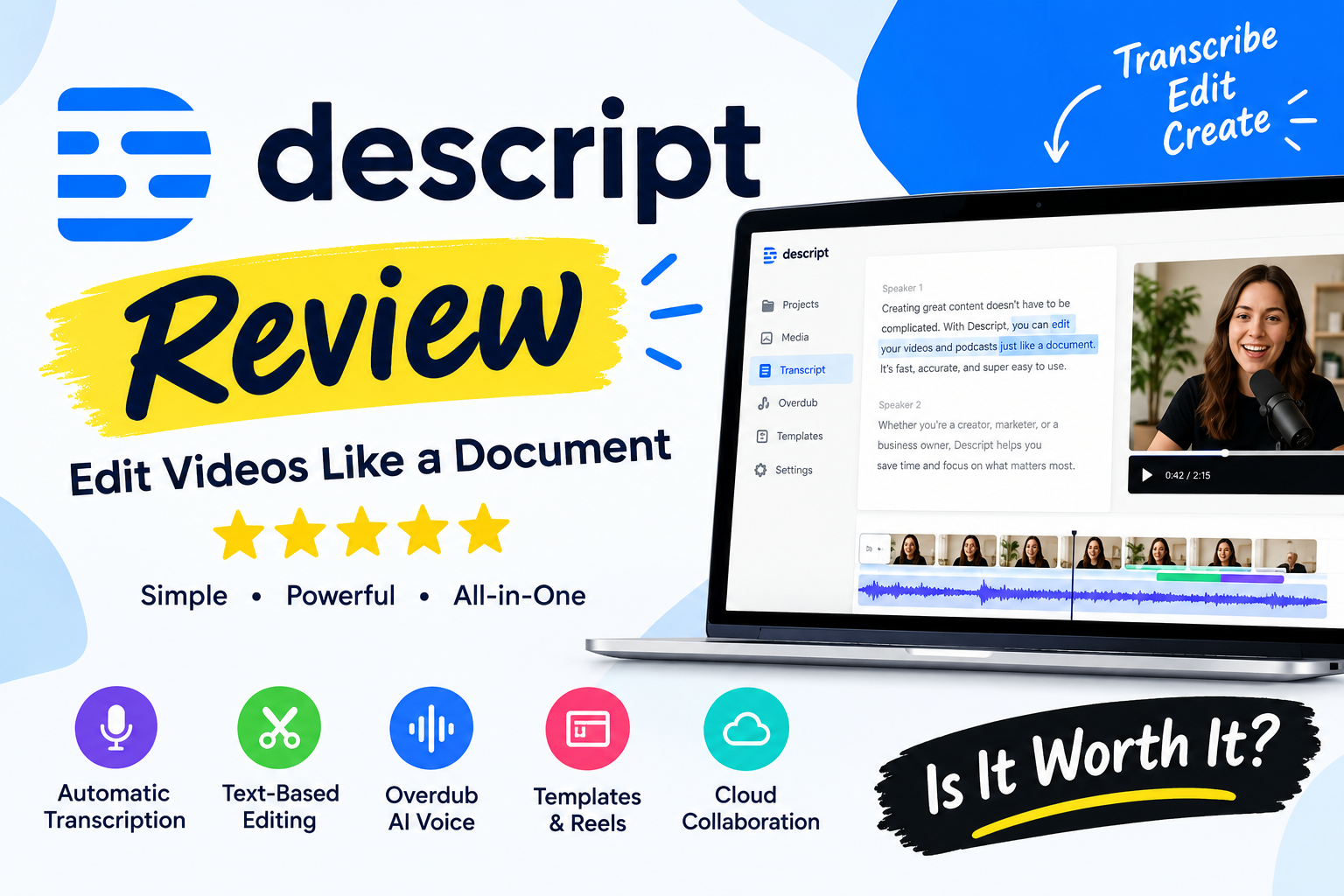
Descript is an AI-powered audio and video editing platform designed to make content creation more accessible. Instead of relying entirely on traditional editing timelines, users can edit recordings by modifying their automatically generated transcripts.
This approach makes the software particularly interesting for podcasters, YouTubers, educators, marketers, and businesses producing video content. In this Descript review, we explore its main features, AI editing tools, pricing plans, free version, advantages, limitations, and alternatives.
We also consider who may benefit most from the platform and what buyers should know before subscribing. If you are searching for an honest Descript software review to decide whether it is worth the money, this guide will help you evaluate its value.
About Descript
Descript is a software platform that combines audio recording, video editing, transcription, and AI-powered production tools in one workflow. Its defining feature is text-based editing, which allows users to edit spoken content through a transcript instead of manually cutting every section on a traditional timeline.
The platform is designed to simplify tasks such as removing unwanted words, improving audio quality, generating captions, and creating shorter clips from longer recordings. Descript also offers tools for screen recording, remote recording, and repurposing content for different channels. Its features make it relevant to independent creators and professional teams alike. However, the right plan depends on your production volume, preferred workflow, and need for advanced editing capabilities.
Overview of Descript
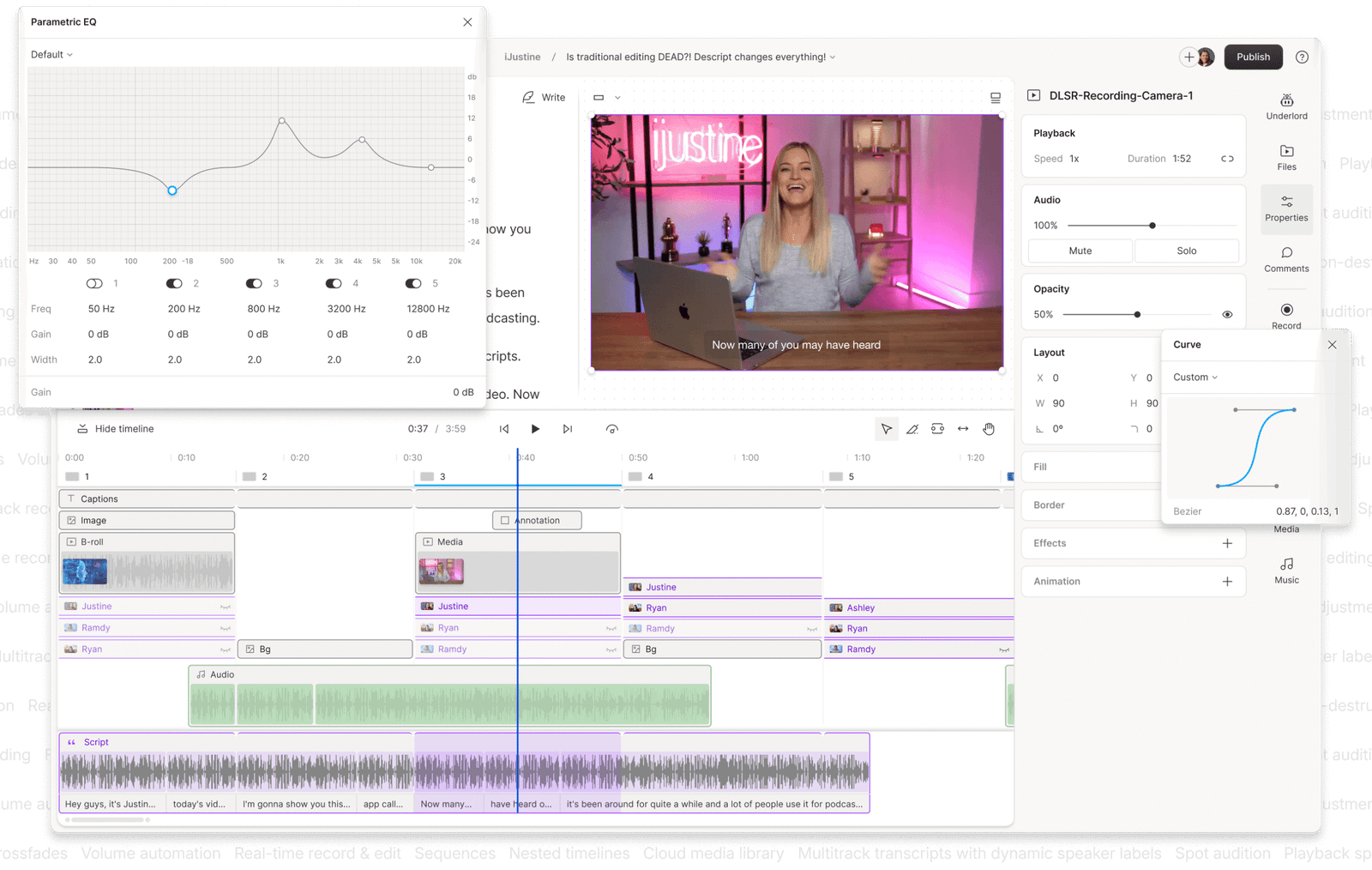
Descript brings several content production tasks together in one application. Users can import existing recordings, record new audio or video, generate transcripts, and edit the resulting media through text. Its AI tools can assist with cleaning up spoken audio, removing filler words, and preparing clips for social media. The platform also supports captions, screen recording, and remote recording through its Rooms feature.
This combination can reduce the need to move between several applications during a typical editing project. Nevertheless, Descript is not necessarily the best fit for every production style. Creators who need highly detailed visual effects, complex animation, or extensive cinematic editing may prefer a dedicated professional video editor.
Descript Features and Tools
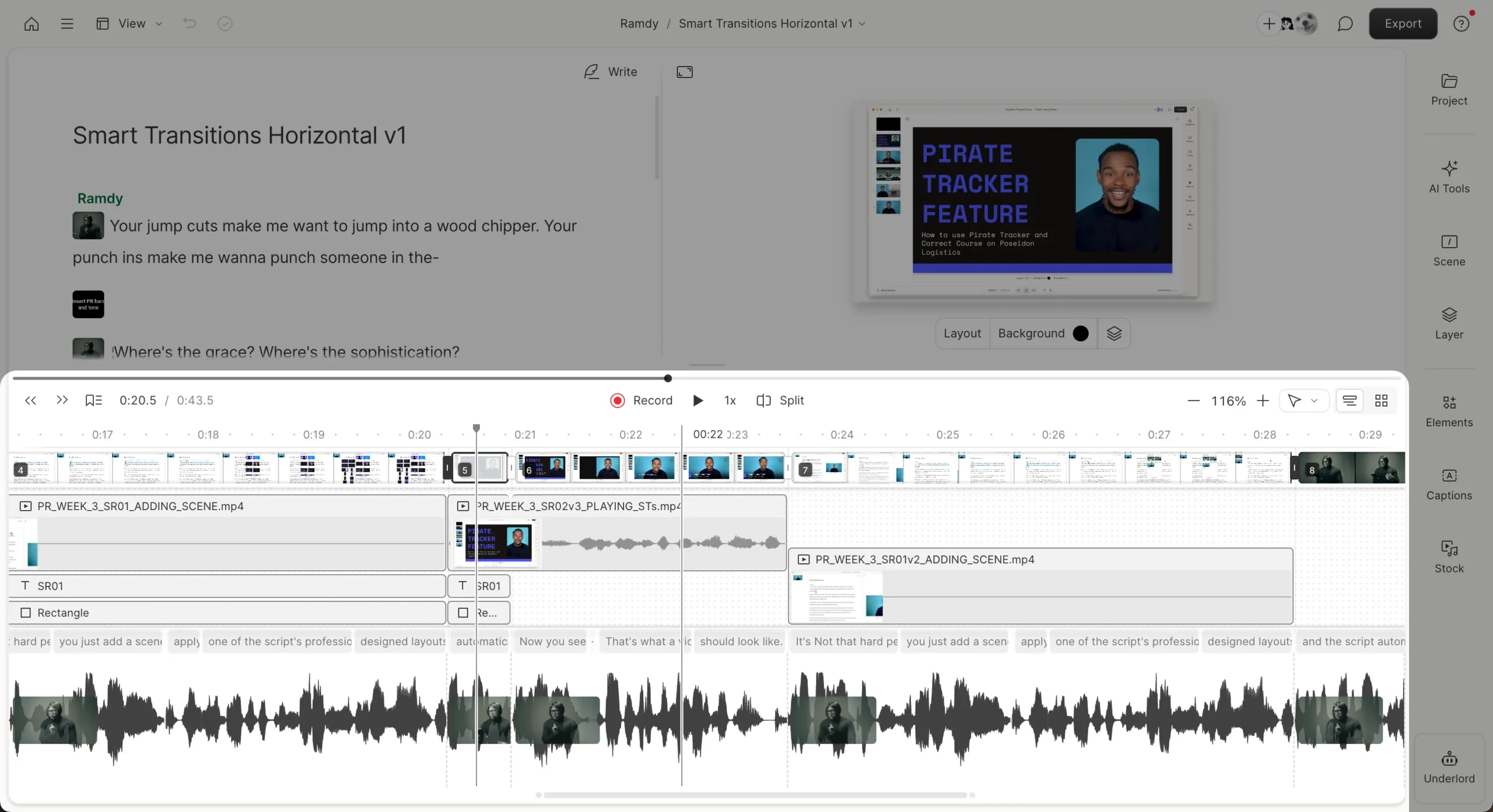
One reason people consider Descript is its collection of editing and production tools. Text-based editing is central to the platform, while AI-assisted features help users refine recordings and prepare content for publication. Studio Sound is designed to improve spoken audio by reducing distracting background noise and echo. Other tools can remove filler words, generate clips, create captions, and assist with voice-related edits.
Users can also record their screens, capture interviews, and organize content for different publishing channels. Feature availability and usage limits depend on the selected subscription. Before upgrading, identify which tools you will actually use and check whether the included media hours and AI credits are sufficient for your regular workload.
Descript Video Editing Review
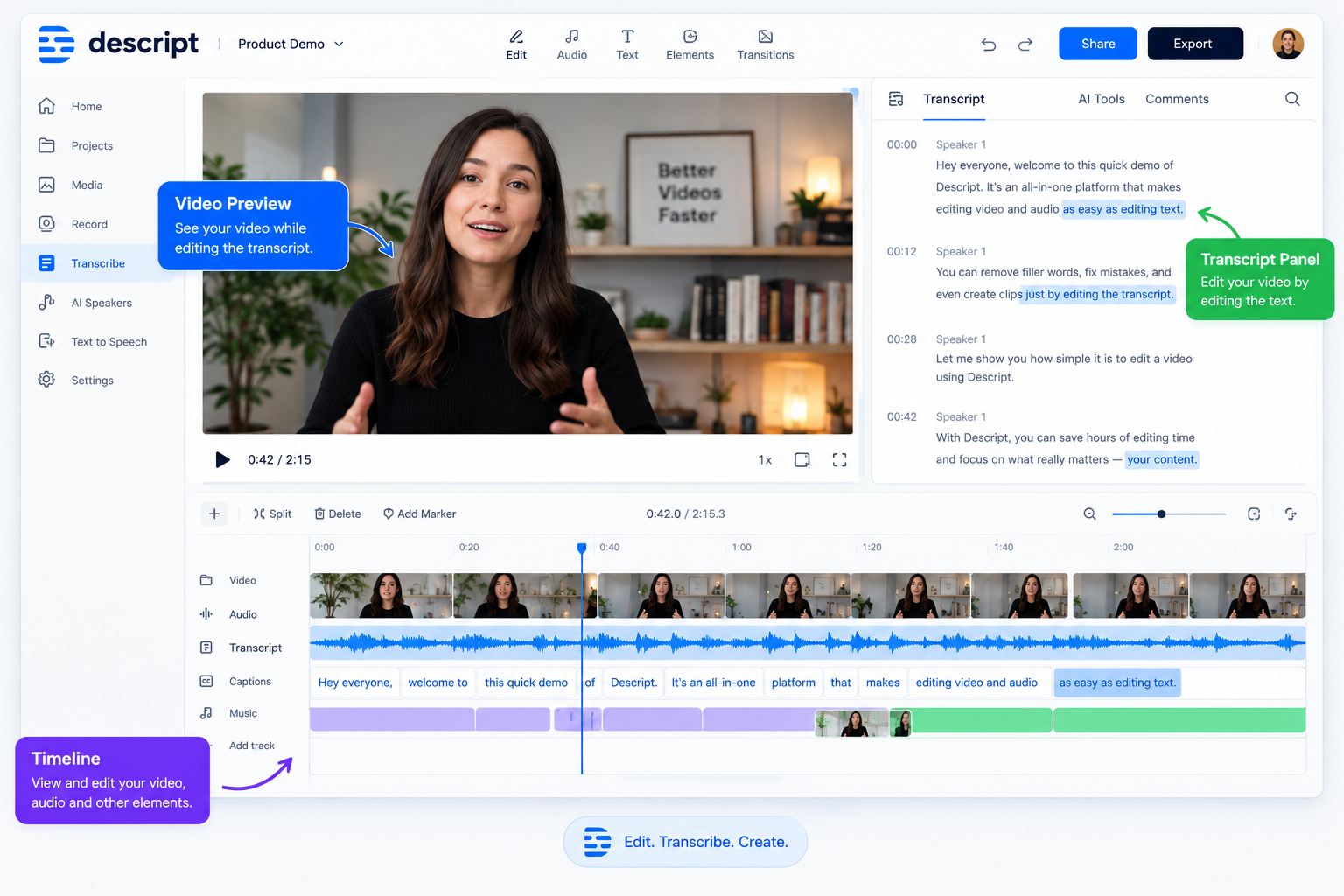
The Descript video editing experience is particularly relevant to creators who publish interviews, tutorials, presentations, educational videos, or talking-head content. Instead of locating every unwanted pause on a timeline, users can edit the transcript and remove corresponding sections of footage. T
his can make basic editing more approachable for beginners and save time when working with dialogue-heavy recordings. Descript also offers tools for captions, clip creation, and visual adjustments. However, text-based editing does not eliminate every traditional editing task. Fine control over complex visual sequences, advanced effects, and detailed animation may require another application.
Descript video editing is worth considering if your projects depend more on spoken content than elaborate visual storytelling.
Descript Audio Editing and Podcasting Review
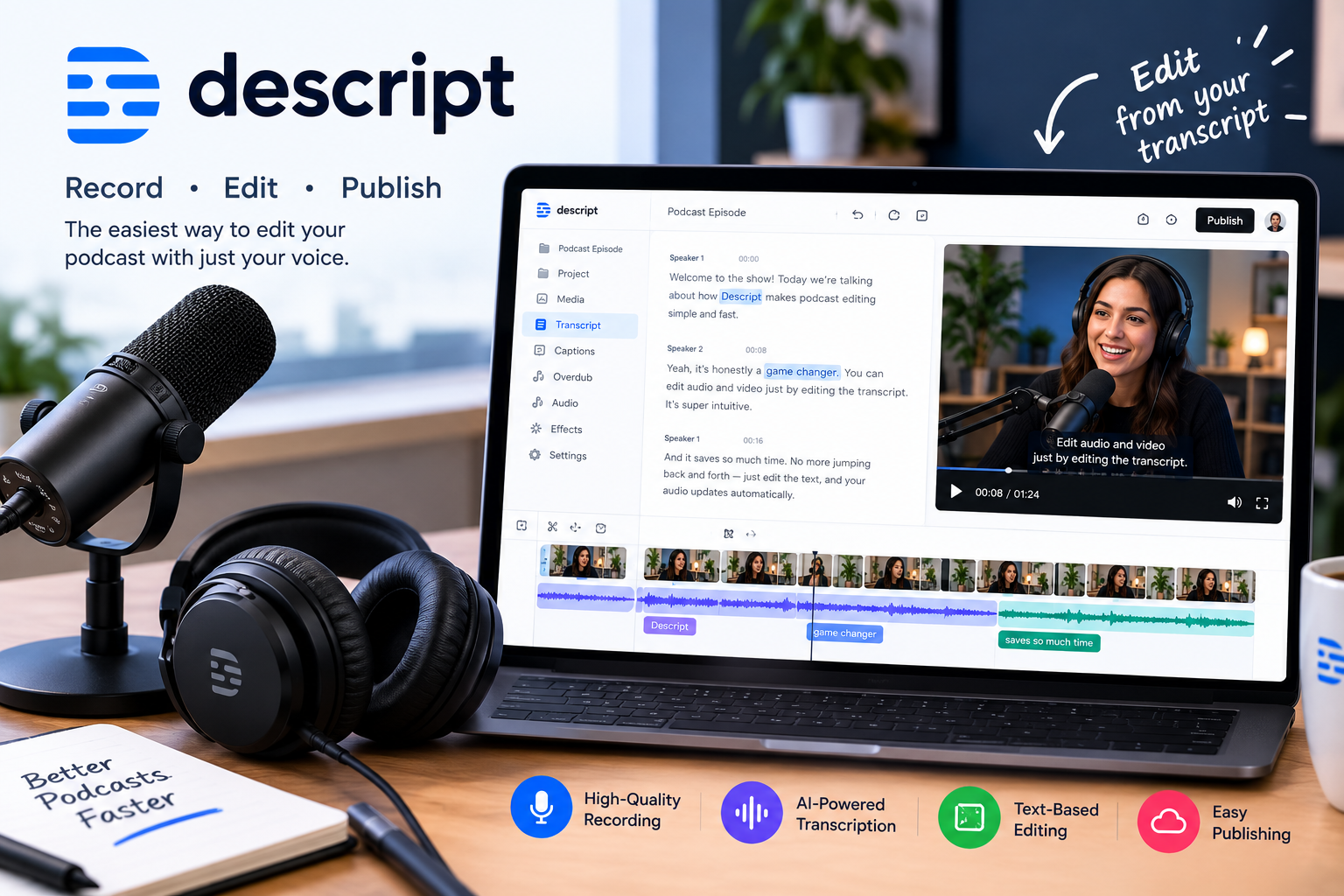
Descript offers useful tools for podcasters who want to record, transcribe, edit, and prepare spoken content in a connected workflow. Editing audio through text can make it easier to remove repeated phrases, shorten pauses, and reorganize dialogue. Its Studio Sound feature can help improve voice recordings by reducing certain types of background noise and echo.
The platform also supports remote recording, which can be useful for interviews and discussions with multiple participants. Nevertheless, the quality of the final result depends on the original recording and the adjustments applied. Podcasters who require sophisticated audio routing, extensive mixing controls, or specialized sound design may still need dedicated audio software. For straightforward spoken-word production, Descript offers a convenient alternative to more complicated editing workflows.
Descript AI Features: What Can You Do With Them?
Descript includes AI-assisted tools intended to reduce repetitive editing work. Its Underlord AI co-editor can help users refine recordings, remove unnecessary words, and prepare clips through instructions. Other available tools support audio enhancement, caption generation, content repurposing, and certain voice or video modifications. These features can be useful when creators need to produce multiple versions of a recording for different platforms. However, AI-generated edits should always be reviewed before publication.
Automatic tools can occasionally misunderstand context, remove meaningful pauses, or produce results that require manual correction. AI usage allowances may also differ between plans. For the best results, treat Descript AI editing tools as assistants that speed up production rather than replacements for reviewing the finished content.
Descript Transcription and Screen Recording
Transcription is one of Descript’s most useful features because it connects spoken words directly to the editing process. The software can convert recorded speech into text, allowing users to navigate recordings, identify sections, and edit media through the transcript.
This workflow can help with interviews, webinars, tutorials, meetings, and podcasts. Descript also supports screen recording, making it useful for software demonstrations, online lessons, and instructional videos. Its transcription features support multiple languages, although accuracy can vary depending on pronunciation, recording quality, background noise, and specialized terminology.
Users should proofread important transcripts, especially when publishing quotations, educational materials, or professional documentation. Check the current plan details to understand the transcription and media-processing allowances included with your subscription.
Descript Pricing and Plans
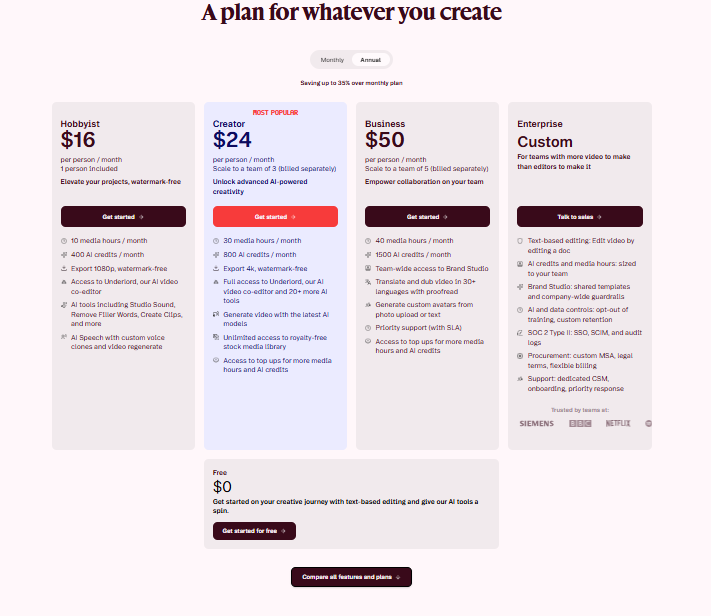
Descript offers a free plan alongside paid subscriptions for creators and teams. According to its official pricing page, the listed US prices below distinguish annual billing from month-to-month billing.
| Plan | Annual Billing Price | Monthly Billing Price | Best For |
|---|---|---|---|
| Free | $0 | $0 | Beginners exploring the platform |
| Hobbyist | $16/month | $24/month | Individual creators with regular editing needs |
| Creator | $24/month | $35/month | Creators producing more content |
| Business | $50/month | $65/month | Teams needing collaboration and additional features |
| Enterprise | Custom pricing | Custom pricing | Organizations with specialized requirements |
Paid-plan prices are per person, and billing terms and features may change.
The Free plan includes limited media processing and AI usage, with exports capped at 720p and a watermark. Hobbyist supports 1080p watermark-free exports, while Creator and Business support 4K exports. Before choosing a plan, compare media hours, AI credits, export quality, and the tools you need. Check the official pricing page for current terms.
Descript Reviews: What Do Customers Think?
When researching Descript reviews, it is important to consider the needs of different types of users. Creators who primarily edit interviews, tutorials, and podcasts may appreciate the text-based workflow because it simplifies common editing tasks. Users who frequently produce short-form content may also find transcription, captions, and clip creation useful.
On the other hand, people who need detailed visual editing or highly specialized audio controls may find the workflow less suitable for their projects. Individual experiences can also depend on recording quality, computer performance, and the subscription selected. Before purchasing, read recent customer feedback from independent review platforms and look for recurring comments about reliability, ease of use, support, and value. Do not rely on promotional claims alone when making your decision.
Is Descript Easy to Use for Beginners?
Descript can be approachable for beginners because editing spoken content through text is often easier to understand than manually manipulating a complex video timeline. A new user can import a recording, generate a transcript, and begin removing unwanted sections by editing the words.
Tools for captions, screen recording, and audio enhancement also bring several common production tasks into one application. However, beginners may still need time to understand project organization, media management, export settings, and AI usage limits. More advanced features can require additional practice. If you are new to content creation, starting with the free plan is a practical way to explore the interface before committing to a paid subscription. Upgrade only when you understand your actual production needs.
Is Descript Worth It?
Whether Descript is worth it depends on how frequently you create content and which editing tasks take up the most time. For podcasters, educators, interviewers, and YouTubers who work with spoken material, text-based editing can make common revisions easier.
The built-in transcription and AI-assisted tools may also reduce the need to switch between multiple applications. However, occasional creators may not need a paid subscription, particularly if the free plan covers their basic requirements.
Users who depend on advanced cinematic effects or specialized audio production should compare Descript with dedicated editing software. To determine its value, consider your monthly workload, export requirements, and subscription limits. The platform is most compelling when its particular workflow solves a recurring problem in your production process.
Descript Promotions, Discounts, and Free Plan
If you are looking for a Descript discount code or promotional offer, begin with the official website. Descript provides a free plan that allows users to explore its core recording, transcription, and editing workflow before upgrading. This is useful for testing whether the interface suits your needs.
The free plan has limits, including monthly media processing, AI usage allowances, and watermarked exports. Paid subscriptions provide additional capacity and features, with annual billing generally offering a lower monthly equivalent than month-to-month billing. Promotional offers may change, so avoid relying on discount codes from outdated third-party pages. Compare the final checkout price, billing frequency, and cancellation terms before subscribing. A free plan can be the most economical choice if you only need basic editing occasionally.
Descript Pros and Cons
Descript combines several production tools in one platform, but its suitability depends on the type of content you create. Understanding the main advantages and disadvantages can help you decide whether it matches your workflow.
Pros
- Text-based editing makes spoken content easier to revise.
- Transcription connects written text with audio and video.
- AI tools assist with audio cleanup and repetitive editing tasks.
- Screen recording and remote recording support different content formats.
- Captioning and clip creation help repurpose longer recordings.
- A free plan lets beginners explore the software before upgrading.
Cons
- Free-plan exports include a watermark and have resolution limits.
- Media hours and AI credits can restrict heavier workloads.
- AI-generated edits may need manual review and correction.
- Advanced visual production may require another editing application.
- Paid subscriptions may be unnecessary for occasional users.
Descript’s main advantage is its integrated workflow for spoken content, while its limitations are most relevant to users with specialized editing needs.
Descript vs. Other Video Editing Tools
When comparing Descript with other video editing software, start by considering the type of projects you produce. Descript is especially focused on text-based editing, transcription, and AI-assisted production. Traditional timeline-based editors may offer more detailed control over visual sequences, transitions, color grading, and complex effects.
Some creators may prefer a dedicated audio editor for advanced mixing, while others may benefit from a simple mobile application for quick social media videos. Descript can reduce the need to move between tools when producing spoken-word content, but it is not automatically the best option for every workflow. Before subscribing, test the editing experience against a real project and compare export options, pricing, system requirements, and the features you use most frequently.
Who Should Use Descript?
Descript may be a good option for people who regularly create content built around spoken words. YouTubers producing tutorials or commentary videos can use transcripts to simplify editing. Podcasters may benefit from dialogue editing, transcription, and audio enhancement.
Teachers and trainers can use screen recording to create instructional content, while marketers may find captions and clip creation useful for repurposing webinars or interviews. Small teams can also benefit from having recording and editing tools within one workflow. However, users who mainly create animated videos, cinematic productions, or complex visual effects may prefer specialized software.
The best way to assess suitability is to identify your most common editing tasks and determine whether Descript makes those tasks easier without introducing unnecessary cost or complexity.
Descript Alternatives: What Are Your Options?
If Descript does not match your editing requirements, several other applications are worth comparing. Adobe Premiere Pro is designed for detailed video editing and professional production workflows. DaVinci Resolve combines video editing with color grading, visual effects, and audio post-production tools. Audacity is an option for users seeking audio recording and editing capabilities.
CapCut may appeal to creators looking for accessible video editing and social media features. Each product has different strengths, system requirements, pricing arrangements, and learning curves. Before switching, identify the specific limitation you want to solve. If you mainly need transcript-based editing, Descript may remain a strong candidate. If you need more detailed visual control or specialized audio tools, another application may be a better fit.
How to Get Started With Descript
Getting started with Descript involves a few straightforward steps. First, visit the official website and create an account. Review the free plan’s limitations before beginning a project. Next, open the application and import an existing recording or use its recording tools to capture new content. Generate a transcript and review it for mistakes, particularly names, technical terms, and unclear speech.
Edit the text to remove unwanted sections, then explore available features such as captions and audio enhancement. Preview the finished recording before exporting it. Check the resolution and watermark restrictions associated with your plan. Starting with a short recording is a practical way to learn the workflow before using Descript for longer projects or paying for additional capacity.
Descript Customer Support and Refund Policy
Before purchasing a Descript subscription, review the company’s current support resources, billing terms, cancellation process, and refund policy. The available support documentation can help users understand account management, technical issues, plan limits, and feature availability. Refund eligibility may depend on the subscription, purchase date, and applicable terms, so do not assume that every payment is refundable. If you encounter a billing problem, consult the official policy and contact support through the appropriate channel. Keep your purchase confirmation and relevant account details available when requesting assistance.
Businesses considering Descript should also review collaboration requirements and any applicable service terms. Checking these details before subscribing can prevent misunderstandings about recurring payments, cancellation timing, and access to paid features.
Conclusion
This Descript review highlights a platform built around making audio and video editing more accessible through text-based editing and AI-assisted tools. Its combination of transcription, audio enhancement, screen recording, captions, and clip creation can be valuable for podcasters, YouTubers, educators, and marketers who regularly produce spoken content.
The free plan provides a way to evaluate the workflow before paying, while paid subscriptions offer additional media capacity and export options. However, subscription limits and the need for manual review of AI edits are important considerations. Creators who need complex visual effects or specialized audio production may prefer dedicated alternatives. Descript is worth exploring if you want to simplify dialogue-heavy editing and bring several content production tasks into one application.
Descript Social Media
| Social Media | Official Link |
|---|---|
| Descript Instagram | |
| Descript Facebook | |
| YouTube | Descript YouTube |
| Descript LinkedIn | |
| X (Twitter) | Descript on X |
| Official Website | Descript |
Businesses exploring software solutions for different operational needs can also read our Rippling review to learn more about its HR, payroll, and workforce management features.
FAQs
Is Descript worth it for video editing?
Descript may be worthwhile for dialogue-heavy videos, interviews, tutorials, and presentations. Its text-based editing workflow can simplify revisions, while its AI tools assist with captions and audio enhancement.
Does Descript offer a free plan?
Yes. Descript offers a free plan with limited media processing and AI usage. The current plan includes 720p exports with a watermark, so check the official pricing page before starting.
How much does Descript cost?
Descript offers Free, Hobbyist, Creator, Business, and Enterprise options. Listed annual-billing prices for paid plans start at $16 per person per month, with higher-priced plans providing additional capacity and features. Prices may change.
Is Descript good for podcast editing?
Descript can be useful for podcasts because it supports transcription, text-based editing, audio enhancement, and remote recording. Users requiring advanced audio mixing may still prefer dedicated audio software.
Can Descript automatically transcribe audio and video?
Yes. Descript can generate transcripts from recordings. Accuracy varies depending on recording quality, pronunciation, background noise, and terminology, so reviewing the transcript is recommended.
Does Descript offer AI-powered editing tools?
Yes. Descript offers AI-assisted features for tasks such as audio enhancement, filler-word removal, clip creation, and other editing workflows. Availability and usage limits depend on the plan.
Is Descript suitable for beginners?
Its transcript-based editing can make common editing tasks easier to learn. Beginners should start with a short project and explore the free plan before deciding whether a paid subscription is necessary.
What are the main disadvantages of Descript?
Potential drawbacks include subscription limits, AI usage allowances, watermarked exports on the free plan, and less suitability for some complex visual editing workflows.
Can you cancel a Descript subscription?
Users can manage subscriptions through their accounts, subject to the applicable billing terms. Review the official cancellation and refund policies before making changes to your subscription.
What are the best alternatives to Descript?
Alternatives include Adobe Premiere Pro, DaVinci Resolve, Audacity, and CapCut. The best choice depends on whether you prioritize advanced video editing, audio production, or accessible social media workflows.
