



DocSend is a secure document-sharing and tracking platform designed to help businesses share important files while understanding how recipients interact with them. Now part of Dropbox, DocSend is particularly useful for sales teams, startups, investors, consultants, and businesses that regularly share proposals, presentations, confidential documents, or fundraising materials. Its features include document engagement analytics, controlled sharing links, eSignatures, and virtual data rooms, depending on the selected plan. Instead of sending ordinary email attachments without much visibility, users can share tracked links and review engagement information. In this DocSend review, we examine its features, pricing, customer feedback, benefits, limitations, and suitability for different business needs.
Overview of DocSend
DocSend focuses on making document sharing more controlled and measurable. Users can upload a file, create a sharing link, configure available access settings, and monitor engagement through analytics. This can help sales professionals understand whether prospects are reviewing proposals and allow startup founders to evaluate investor interest in a pitch deck. Businesses handling sensitive transactions can also use its virtual data rooms to organize documents and manage access during due diligence. However, DocSend is not a complete replacement for every document management or cloud storage platform. Its value depends on how frequently your team shares important documents and whether tracking, access controls, and deal management justify the subscription cost.
DocSend Product Categories
DocSend offers several capabilities for different document-sharing requirements. Secure document sharing helps users distribute files through controlled links, while document analytics provide visibility into recipient engagement. eSignature functionality supports signing workflows, and virtual data rooms help organize information for fundraising, mergers and acquisitions, and other business transactions. Advanced plans can include additional security controls, visitor verification, dynamic watermarking, and due diligence tracking. Certain plans also provide branding options, file requests, and team management features. Because functionality varies by subscription, businesses should review the official feature comparison before choosing a plan. Selecting the right package requires understanding which capabilities are essential rather than paying for every available feature.
DocSend Document Sharing Review
DocSend’s document-sharing functionality is designed for professionals who need more control than standard email attachments provide. Users can create links to documents and apply available settings to manage how recipients access shared content. Depending on the file type and plan, businesses can also review document engagement and control whether particular actions are permitted. Another useful capability is updating a document without necessarily having to distribute an entirely new link, which can simplify version management. These features are valuable when sharing proposals, sales presentations, business plans, or investor materials. However, businesses should review access settings carefully and remember that link controls cannot eliminate every possible risk associated with sharing confidential information.
DocSend Analytics Review

Document analytics are among DocSend’s main advantages. The platform can help users understand when recipients open shared content and how they engage with supported documents. Depending on the file type and available features, teams may be able to review page-level activity, visitor information, and engagement patterns. Sales professionals can use these insights to prioritize follow-ups, while founders may find them useful when evaluating interest in investor presentations. The information is most valuable when it supports thoughtful decisions rather than replacing direct communication. Analytics should also be interpreted carefully because viewing activity does not necessarily prove genuine buying intent. Before subscribing, confirm which tracking capabilities are included in your preferred plan.
DocSend Virtual Data Rooms Review
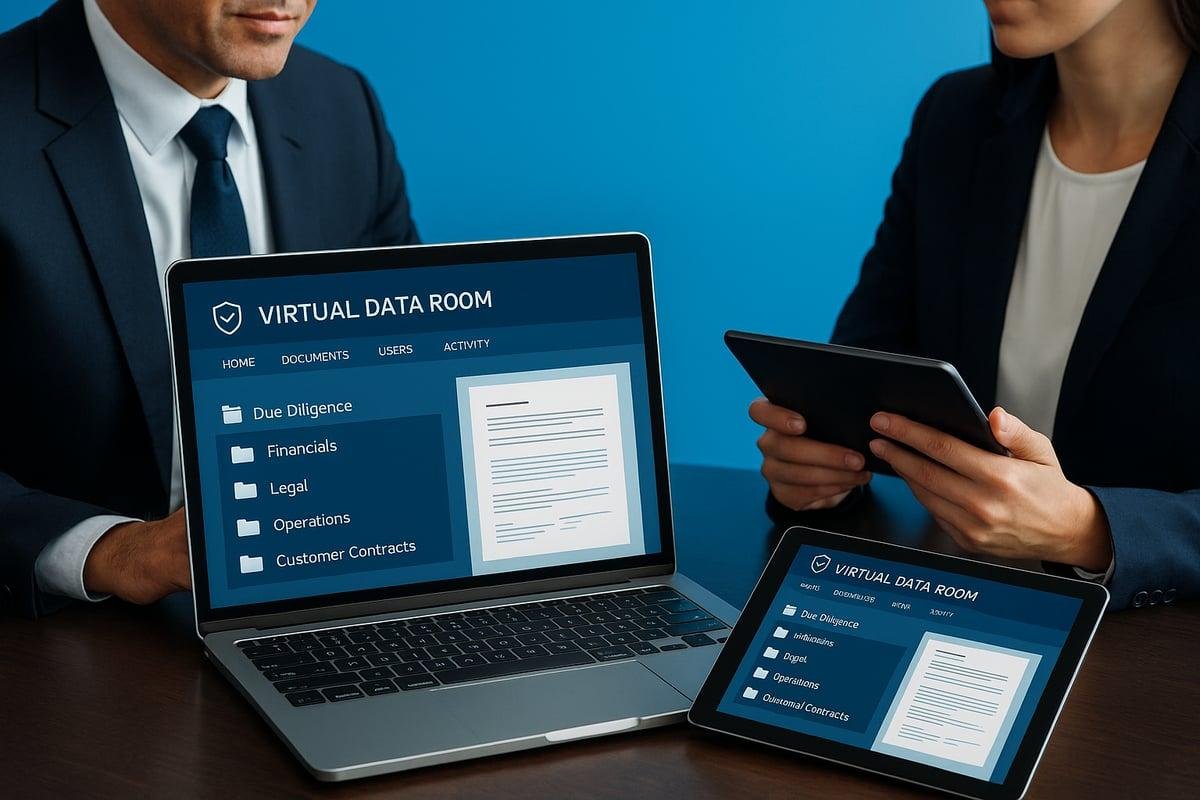
DocSend’s virtual data rooms, known as Spaces, help businesses organize and share groups of documents during important transactions. They can be useful for fundraising, mergers and acquisitions, investor communications, and due diligence processes. Depending on the selected plan, features may include folder organization, visitor permissions, document access controls, and activity reporting. These tools can help teams provide relevant information to stakeholders without distributing every file individually. Advanced data room features may be especially useful when several parties need access to different documents. However, companies handling highly sensitive information should assess security requirements, permission structures, audit capabilities, and compliance obligations before implementation. Not every business needs a dedicated virtual data room.
DocSend eSignature Review
DocSend includes eSignature functionality that allows users to create and share documents for electronic signing. This can be convenient for businesses that want document sharing and basic signing workflows within one service rather than managing completely separate tools. The number of signatures available and the related features depend on the subscription plan. Users should check whether their required signing processes, custom fields, notifications, and audit records are supported. Businesses with complex approval procedures or specialized legal requirements may still need a dedicated contract management solution. Before purchasing, consider the types of documents you sign, the volume of agreements you handle, and whether DocSend’s signing capabilities meet your operational and legal needs.
DocSend Pricing: How Much Does It Cost?
DocSend offers subscription plans for different document-sharing and deal-management requirements. Its official pricing page has listed options such as Personal, Standard, Advanced, and Advanced Data Rooms, with pricing and features varying by plan and billing arrangement. For example, the pricing information available during research displayed a Personal plan at $10 per user per month and a Standard plan at $45 per user per month on one pricing view. Other official pricing views displayed different Standard pricing, so these figures should not be treated as a guaranteed quote. Advanced plans add capabilities such as data rooms and stronger access controls. Check the current DocSend pricing page before subscribing and confirm billing frequency, included users, and additional fees.
DocSend Reviews: What Do Customers Think?
Customer feedback about DocSend frequently highlights its document tracking, sharing controls, and usefulness for professional communication. Reviewers appreciate being able to understand recipient engagement rather than relying entirely on email responses. However, feedback also identifies potential concerns involving pricing, the learning curve for advanced features, and the experience of managing larger document collections. Independent review platforms can provide additional context, but ratings and experiences vary by user, subscription, and business requirements. For a balanced assessment, compare recent reviews from companies similar to yours and look for recurring patterns rather than relying on isolated testimonials. Pay particular attention to customer experiences involving billing, support responsiveness, analytics accuracy, and the features you intend to use.
Is DocSend Worth It?
DocSend may be worth the investment for businesses that frequently share important documents and need visibility into recipient engagement. Startup founders can use its analytics when sharing pitch decks, while sales teams may benefit from tracking proposal activity. Organizations managing transactions can also benefit from controlled sharing and virtual data rooms. The value becomes less obvious for individuals who only need occasional file transfers or basic cloud storage. In those situations, a simpler or less expensive tool may be sufficient. Before subscribing, estimate how frequently your team will use the platform, identify the features you genuinely need, and compare the total subscription cost with the time saved and business value gained.
DocSend Promotions and Discounts
Businesses researching DocSend discounts should check the official website for current offers, eligible subscriptions, and trial availability. Promotional pricing can change, and an offer available to one customer may not apply to every plan or account. Before accepting a discount, review the renewal price, billing frequency, cancellation terms, user limits, and features included after the promotional period ends. If your business is a startup or an organization with specialized requirements, ask DocSend’s sales team whether any eligible pricing arrangements are available. Avoid making a purchase based only on a headline discount. Comparing the full cost over the intended subscription period is a more reliable way to determine whether DocSend fits your budget.
Where to Buy DocSend
The recommended place to purchase DocSend is its official website at https://www.docsend.com/. There, you can review available features, compare subscription plans, explore trial options, and contact the company about business requirements. Before signing up, identify whether you need basic document sharing, detailed analytics, eSignatures, or advanced virtual data rooms. Check the limits and access controls associated with your selected subscription. Businesses should also verify integration requirements and determine whether their existing storage, sales, or communication tools work with the intended setup. Reviewing the billing and cancellation terms before completing a purchase can help prevent unexpected costs and make it easier to select an appropriate plan.
DocSend Security and Privacy
Security is an important consideration when sharing confidential business documents. DocSend offers features such as access controls, visitor verification, and dynamic watermarking on eligible plans. These capabilities can help organizations manage access and add safeguards when distributing sensitive materials. Nevertheless, no document-sharing platform can guarantee that information will never be copied, photographed, or exposed through another route. Businesses should configure permissions carefully, limit access to appropriate recipients, and follow their internal security policies. Organizations handling regulated or highly confidential information should also review DocSend’s current security documentation, data-handling practices, and contractual terms. Choose a plan based on your actual security requirements rather than assuming every advanced control is included by default.
DocSend Pros and Cons
DocSend offers several advantages for businesses that need secure document sharing and actionable engagement information. Its tracking features can support more informed follow-ups, while controlled links and virtual data rooms help organize important business communications. However, the platform’s subscription cost may be difficult to justify for occasional users, and advanced features may require higher-priced plans. Businesses should also evaluate whether its analytics and sharing capabilities fit their existing workflows.
Pros
- Tracks engagement with supported shared documents.
- Provides controlled document-sharing links.
- Offers virtual data rooms for business transactions.
- Includes eSignature capabilities.
- Supports selected security controls and branding options.
- Helps teams make more informed follow-up decisions.
Cons
- Pricing can be relatively expensive for some individuals and small teams.
- Advanced features may require higher-tier subscriptions.
- Analytics depend on supported file types and available settings.
- Some businesses may need additional document management tools.
- Users must carefully configure permissions and review contract terms.
DocSend vs. Other Document-Sharing Tools
Comparing DocSend with alternatives can help you decide whether its tracking and security features justify the cost. Dropbox is worth considering for general file storage and collaboration, while Google Drive is useful for teams already working within Google’s productivity ecosystem. PandaDoc may be relevant for businesses focused on proposals, document workflows, and electronic signatures. The right choice depends on whether you prioritize document analytics, collaborative editing, storage, contract management, or secure deal rooms. Compare subscription costs, access controls, integrations, signing limits, and administrative capabilities before deciding. If page-level engagement tracking is essential, verify that any alternative provides comparable analytics rather than assuming every file-sharing service offers the same functionality.
Who Should Use DocSend?
DocSend may suit startup founders sharing pitch decks, sales teams sending proposals, consultants distributing client documents, and businesses coordinating sensitive transactions. Its engagement analytics can help users understand how recipients interact with supported content, while virtual data rooms can organize documents for fundraising and due diligence. Organizations that need to control access to confidential materials may also appreciate its security options. On the other hand, individuals who simply want to send occasional files may not benefit enough to justify a paid subscription. Before choosing DocSend, consider your document-sharing frequency, team size, security requirements, and existing software. The best solution is the one that addresses your actual workflow without unnecessary expense.
Final Thoughts on DocSend
DocSend is a specialized document-sharing platform that combines access controls with engagement analytics and deal-management capabilities. Its strongest use cases involve important business communications where knowing whether recipients have reviewed documents can help teams plan their next steps. Virtual data rooms and advanced security options add value for organizations managing fundraising or due diligence. However, the platform is not essential for every user, and its price may be difficult to justify if basic file sharing is all you need. Businesses should evaluate the available plans, test relevant workflows, and compare alternatives before purchasing. A careful assessment of features, billing terms, and security requirements will help determine whether DocSend is a sensible investment.
Conclusion
This DocSend review highlights a platform built for businesses that need more than ordinary file sharing. Document analytics, access controls, eSignatures, and virtual data rooms can make it a practical option for sales teams, founders, consultants, and deal professionals. Its benefits are most apparent when teams regularly share important materials and use engagement information to improve their processes. However, subscription costs and plan-specific limitations deserve attention, particularly for smaller businesses with simpler requirements. Review the current pricing, confirm which security and analytics features are included, and compare the service with suitable alternatives. DocSend is worth considering when controlled sharing and document engagement are central to your workflow.
Businesses often use different software solutions to improve productivity and simplify daily operations. While DocSend helps teams share documents securely and track recipient engagement, workforce management platforms can support employee administration, payroll, and IT operations. If you want to explore another business software solution, read our Rippling Review to learn about its features, pricing, benefits, and potential drawbacks.
FAQs
What is DocSend used for?
DocSend is used to share documents through controlled links, track engagement with supported files, and organize materials for business transactions.
How much does DocSend cost?
Pricing varies by subscription, billing arrangement, and included features. Check the official pricing page for current rates and terms.
Is DocSend safe to use?
DocSend provides security features such as access controls and, on eligible plans, visitor verification and watermarking. Businesses should still configure permissions carefully.
Can DocSend track who views a document?
DocSend provides document engagement analytics, including viewer activity and supported file-level or page-level insights, depending on the file type and plan.
Does DocSend offer a free trial?
The official pricing page advertises trial options for eligible plans. Confirm the current trial duration, included features, and any restrictions before signing up.
Does DocSend support electronic signatures?
Yes. DocSend offers eSignature functionality, with signature limits and features depending on the subscription plan.
Who should use DocSend?
It may suit startups, sales teams, consultants, investors, and businesses that regularly share important documents and need engagement tracking.
Is DocSend better than Google Drive?
Neither is automatically better for every situation. DocSend emphasizes controlled sharing and engagement analytics, while Google Drive focuses on cloud storage and collaboration.
Does DocSend offer virtual data rooms?
Yes. DocSend offers virtual data rooms called Spaces, with capabilities that vary by plan.
Where can I sign up for DocSend?
Visit https://www.docsend.com/ to explore available plans, trial options, and product features.
