


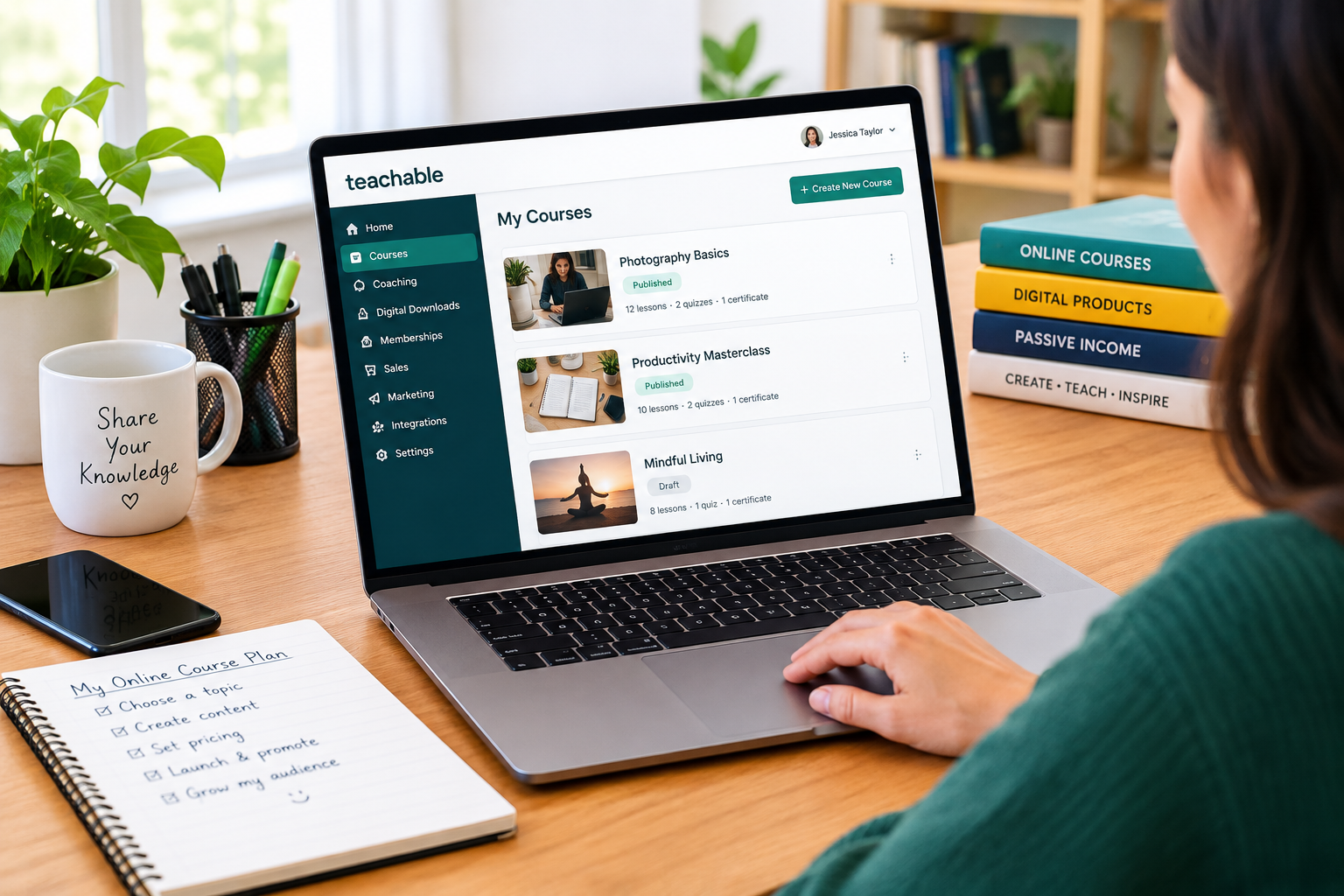
The right online course platform can make a significant difference when you want to turn your knowledge into a digital business. Whether you are an educator, coach, content creator, or entrepreneur, you need a platform that makes it easy to create courses, accept payments, manage students, and grow your business without unnecessary technical work.
This Teachable review explores the platform’s main features, pricing, benefits, drawbacks, and potential alternatives. It also examines the practical questions creators should consider before paying for a subscription, including transaction fees, marketing tools, and long-term costs.
The answer depends on what you plan to sell, how much control you need over your website, and how much you are willing to spend as your business grows.
About Teachable
Teachable is an online platform that helps creators turn their knowledge and expertise into products they can sell online. Instead of assembling separate tools for course hosting, checkout, and student access, creators can manage many of these activities from one dashboard.
The platform supports online courses, coaching programs, digital downloads, and memberships. Its tools are designed for people who want to build an education business without developing a website or learning how to code from scratch.
Teachable also offers features for course creation, student engagement, payment management, and business growth. Depending on the selected plan and available integrations, creators can customize their online school, connect external marketing tools, and track business performance.
Another important consideration is international selling. Teachable promotes payment options for customers in different countries and tax-handling features for eligible transactions. However, available payment methods, tax coverage, and fees depend on the seller’s location, payment setup, and plan.
Who is Teachable for?
- Educators who want to sell structured online courses.
- Coaches who offer individual or group coaching.
- Creators selling downloadable guides, templates, and educational resources.
- Entrepreneurs building a subscription-based learning business.
- Small businesses offering professional training or educational products.
Teachable is particularly relevant to creators who want a dedicated platform for delivering and selling educational content rather than managing everything through a general-purpose website.
Teachable Overview: What Makes It Different?
Teachable focuses on helping creators sell their expertise through a branded online learning business. Its main appeal is the combination of content delivery, product sales, and student management in one platform.
Here are the main areas worth evaluating before signing up:
| Feature | What It Offers |
|---|---|
| Online course builder | Organize educational content into structured lessons |
| Coaching tools | Offer individual or group coaching products |
| Digital downloads | Sell templates, guides, files, and other digital resources |
| Memberships | Create recurring subscription-based offers |
| Website customization | Build a branded storefront for your products |
| Student engagement | Use tools such as quizzes, drip content, and certificates where available |
| Payment tools | Accept payments through supported checkout options |
| Marketing features | Support sales through offers, upsells, and affiliate tools where included |
| Integrations | Connect supported third-party applications |
| Analytics | Monitor relevant sales and student performance data |
Feature availability can vary by subscription tier, so check the current plan comparison before making a decision.
The main advantage is convenience. Creators can concentrate on developing useful content and attracting customers instead of spending as much time coordinating separate hosting and checkout systems.
Convenience does not automatically mean that Teachable is the least expensive option. Creators should consider the subscription price, transaction fees, payment-processing charges, and any additional marketing tools they may need.
Teachable Features Review
1. Online Course Creation
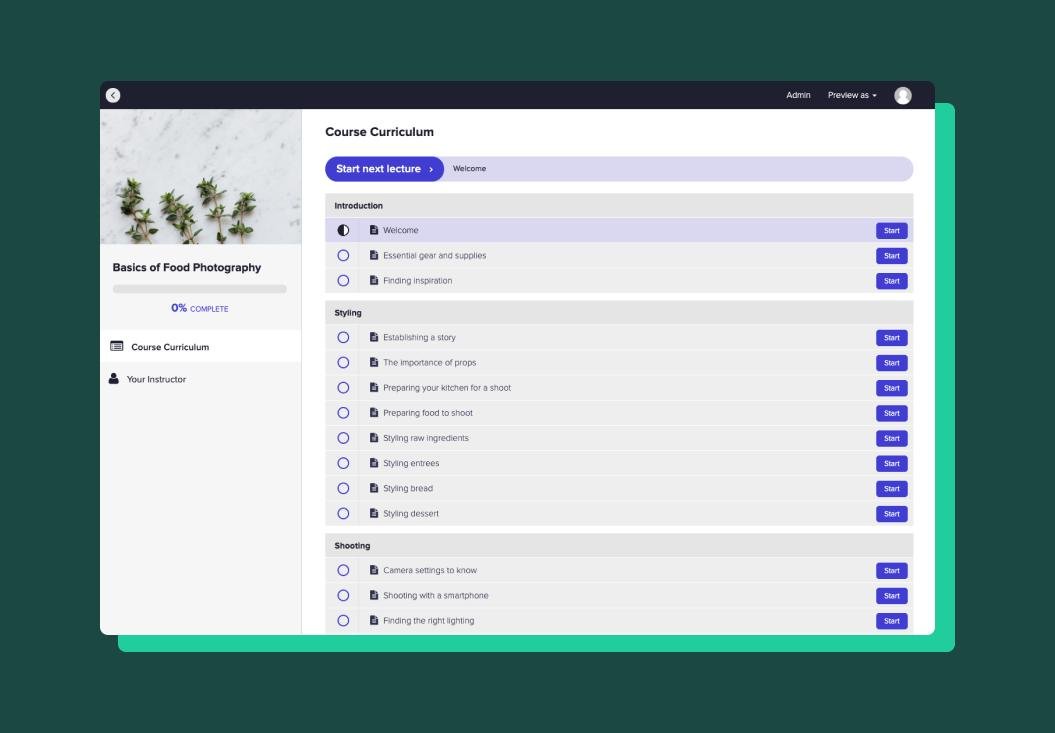
Online courses are at the center of Teachable’s offering. Creators can organize lessons into a structured learning experience and provide students with access to educational materials.
This can work well for subjects such as language learning, professional development, creative skills, business education, and software tutorials.
Course-building tools can help creators arrange lessons, deliver video and text content, add downloadable resources, and introduce quizzes or other engagement features.
The platform also promotes AI-assisted course creation, including tools designed to help generate course outlines and quizzes. These features can reduce some of the initial preparation work, although creators should still review the material for accuracy, originality, and educational value.
What should you consider?
A course builder is only one part of a successful learning experience. Before choosing Teachable, consider whether your course requires advanced assessments, complex learning paths, detailed student interactions, or specialized learning management features.
Teachable may be suitable for straightforward courses, but creators with highly customized training requirements should compare its capabilities with more specialized learning platforms.
2. Coaching Programs
Teachable also supports coaching products, making it relevant to consultants, tutors, business coaches, and other professionals who sell their expertise through guided sessions.
Depending on the available features and integrations, creators can structure coaching offers, manage payments, and coordinate scheduling.
For example, a language instructor could sell a package of individual sessions, while a business consultant could offer a paid coaching program alongside a self-paced course.
Combining coaching with educational products can create more ways to serve different customer needs. Someone who prefers independent learning can purchase a course, while another customer can choose a more personalized service.
Before subscribing, confirm that the scheduling, communication, and client-management features meet your requirements. You may still need external tools for video meetings, calendar management, or detailed client records.
3. Digital Downloads
Digital downloads can be an accessible way to start selling knowledge online without developing a full course.
Examples include:
- Educational workbooks and study guides.
- Business templates and spreadsheets.
- Downloadable checklists and resource packs.
- Design resources and creative templates.
- PDFs and other educational materials.
Teachable allows creators to offer digital products through its selling platform. This can be useful for testing whether an audience is interested in a topic before investing substantial time in creating a larger course.
For example, a creator teaching productivity skills might begin with a downloadable planning template and later introduce a comprehensive productivity course.
However, sellers should check product limits, file requirements, delivery options, and applicable transaction fees before selecting a plan.
4. Memberships and Recurring Revenue
Memberships give creators another way to sell educational content. Rather than relying exclusively on one-time purchases, a creator can offer eligible subscription-based products that provide ongoing access to resources or learning materials.
A membership could include monthly tutorials, new educational resources, professional development materials, or a growing library of lessons.
The potential benefit is recurring revenue, but subscriptions also create ongoing responsibilities. Members expect useful updates, reliable access, and a clear reason to continue paying.
Teachable can support this business model, although creators should review the available community features and integrations if interaction between members is central to their offering.
5. Website Builder and Branding
A professional storefront helps customers understand what a creator sells and why they should trust the business.
Teachable provides website customization features that allow creators to present courses and other products under their brand. Depending on the plan, options may include custom domains and additional branding controls.
The benefit is that beginners do not necessarily need to build a separate website before launching their first product.
Creators who require extensive design freedom, advanced website functionality, or highly customized customer journeys should examine the platform’s design limitations carefully.
If visual control is a major priority, compare Teachable with website builders and other course platforms before committing.
6. Payments and International Selling
Accepting payments reliably is essential for an online education business. Teachable promotes built-in payment capabilities and support for selling internationally.
Its official website also describes tax-handling features for sales tax, VAT, and GST in supported jurisdictions. These tools can reduce some administrative work, but sellers should not assume that every tax obligation is automatically covered in every situation.
Before launching, check:
- Whether your country and business type are supported.
- Which payment methods customers can use.
- Whether your currency and preferred payout method are supported.
- Which transaction and processing fees apply.
- How refunds, disputes, and chargebacks are handled.
- Which tax responsibilities remain yours.
These details matter because the cost of processing sales can affect profitability just as much as the monthly subscription.
Teachable Pricing: How Much Does It Cost?
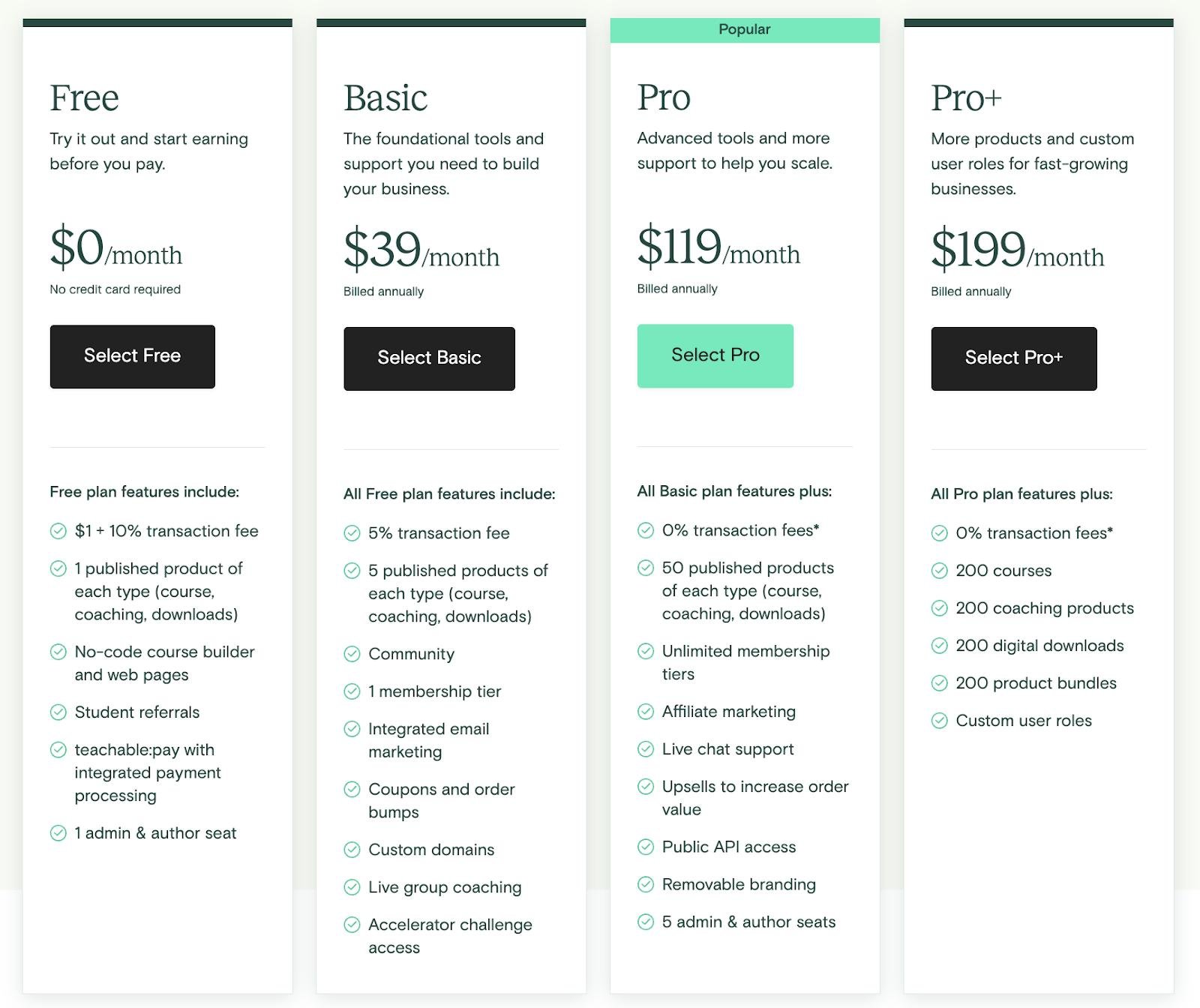
Teachable uses paid subscription plans, with features and selling limits varying by tier. Its current official pricing page should be your final reference before purchasing because prices, promotions, and plan features can change.
| Plan | Reported Monthly Price With Annual Billing | Reported Monthly-Billing Price |
|---|---|---|
| Starter | $29/month | $39/month |
| Builder | $69/month | $89/month |
| Growth | $139/month | $189/month |
| Custom | Contact sales | Contact sales |
These figures are reported prices, not a guarantee of the price currently offered to every customer. Confirm the live pricing, billing conditions, product limits, and included features directly on Teachable before buying.
Official pricing: https://www.teachable.com/pricing
Starter Plan
The Starter plan is designed for creators who want to begin selling without paying for the highest subscription tier.
It may be appropriate for someone launching a first digital product or testing demand for a new educational business.
The main consideration is its reported 7.5% platform transaction fee. This charge can become significant when sales increase, even if the monthly subscription initially appears affordable.
For example, if the applicable fee were 7.5%, a $100 sale would generate a $7.50 platform transaction charge before other applicable costs.
That is why low-volume creators should compare the total cost of the Starter plan against higher tiers rather than looking only at the monthly subscription.
Builder Plan
The Builder plan may be worth considering when a creator has consistent sales or needs additional business features.
Recent published comparisons report that Builder removes the platform transaction fee when eligible sales are processed through Teachable Payments. Standard payment-processing charges and other applicable fees may still apply.
A higher subscription price can sometimes result in a lower overall bill. This depends on sales volume, the applicable transaction-fee rules, and which features the business actually needs.
Before upgrading, calculate your expected monthly revenue and compare the complete cost of each plan.
Growth Plan
The Growth plan is aimed at creators who need more capacity or additional tools as their business develops.
It may be useful for businesses managing multiple products, collaborating with additional team members, or requiring features that are not included in lower tiers.
However, a higher plan is not automatically better for every creator. If you only sell one course and do not need the additional features, the extra subscription cost may not be justified.
Review the current product limits, administrative access, reporting, and branding options to determine whether the upgrade solves a real business problem.
Custom and Enterprise Options
Businesses with larger training requirements may need a more tailored arrangement.
Teachable offers enterprise-oriented solutions for organizations that require features such as advanced reporting, single sign-on, integrations, or dedicated support.
Pricing and availability depend on the organization’s requirements, so contact Teachable directly for a suitable quote.
Is Teachable Worth the Price?
Teachable may offer good value when you want course creation, product sales, and student access in one system.
It may be less attractive if you have very low sales, need extensive marketing automation, or want more flexibility without paying for a higher subscription tier.
The best way to choose a plan is to compare the total cost of ownership, not just the advertised monthly price. Include transaction fees, payment processing, integrations, and any additional software you need.
Teachable Reviews: What Do Customers Think?
When evaluating an online course platform, it is useful to look beyond the company’s own website and examine independent customer feedback.
Capterra’s Teachable listing showed a 4.2 out of 5 rating from 185 reviews when the page was checked in October 2026. Customer experiences vary, so this score should be treated as one reference point rather than a guarantee of individual results.
Source: https://www.capterra.com/p/147019/Teachable/reviews/
Commonly Appreciated Features
Ease of use is an important consideration for course creators who do not want to manage complicated technical systems.
Positive feedback about course platforms often focuses on the convenience of organizing lessons, providing student access, and managing products from a central dashboard.
Teachable’s main strengths include its dedicated course-building environment, support for different digital product types, and integrated selling tools.
For creators who prefer a hosted solution, having these functions in one place can reduce the work involved in launching and maintaining an online course business.
Common Concerns
Cost is an important factor in choosing Teachable. Subscription fees and transaction charges can affect margins, particularly for creators with limited sales.
Some users also report concerns about customer support responsiveness. Support experiences can vary, so creators should review the current support options and response expectations associated with their plan.
Another consideration is customization. A hosted platform can be convenient, but it may not provide the same flexibility as a fully customized website or a more specialized learning management system.
How to Evaluate Reviews Properly
Before buying, look for recent reviews that describe the specific tasks you need to perform.
For example, someone selling a single video course may have different priorities from a business operating a large membership community.
Pay attention to recurring complaints, the date of each review, the reviewer’s use case, and whether the issue has been addressed in a subsequent update.
No platform will be perfect for every business. The most useful question is whether its strengths match your needs and whether its limitations are acceptable at your budget.
Is Teachable Worth It ?
Teachable can be worth considering if you want to create and sell educational products without assembling a large collection of separate tools.
Its strongest appeal is the combination of course delivery, coaching, digital downloads, memberships, and payment features. This makes it relevant to creators who want to build a dedicated online education business.
The platform is not necessarily the right choice for everyone.
It may be a good fit if you:
- Want to launch a course without coding.
- Prefer a hosted platform over maintaining your own website infrastructure.
- Plan to sell courses alongside coaching or digital products.
- Want to manage student access and product sales in one place.
- Are comfortable paying for a subscription as your business grows.
You may want to explore other options if you:
- Need extensive control over website design.
- Require advanced learning management or assessment features.
- Want comprehensive email marketing and sales-funnel tools in one subscription.
- Have a very limited budget and expect low initial sales.
- Need highly specialized community or membership functionality.
The final decision should depend on your product, budget, audience, and technical requirements rather than the number of features advertised.
Teachable Promotions and Discounts
If you are considering Teachable, checking for current promotions before purchasing may help you manage your initial costs.
Possible offers can vary by time, location, subscription plan, and eligibility. Do not assume that a coupon listed on a third-party website is valid until it has been confirmed.
Here are a few practical ways to check for savings:
- Visit Teachable’s official pricing page.
- Review any promotional terms shown during checkout.
- Compare annual and monthly billing to understand the total commitment.
- Check whether a trial or money-back guarantee is available for your selected plan.
- Read the cancellation and refund conditions before subscribing.
Official website: https://www.teachable.com/
Remember that a discount on the subscription does not necessarily eliminate transaction fees or payment-processing costs. Compare the total expected expense before choosing a plan.
Where Can You Buy Teachable?
Teachable is an online software platform rather than a physical product. You can explore its features and subscribe through the official website.
Visit Teachable: https://www.teachable.com/
Before creating an account, review the current pricing, plan features, billing terms, and applicable fees.
It is also sensible to confirm that your preferred payment and payout methods are supported in your country. This is especially important for creators operating outside the United States.
Using the official website makes it easier to review the provider’s current terms and avoid relying on outdated third-party pricing information.
Teachable Return, Refund, and Cancellation Policy
Subscription refunds and cancellations are important considerations when purchasing software.
Teachable’s website has advertised a 30-day money-back guarantee alongside its self-service plans, but you should verify the current terms, eligibility conditions, and any exclusions before subscribing.
Cancellation and refund rights are not necessarily identical. Cancelling a subscription may stop future renewals without automatically generating a refund for a previous payment.
Before purchasing, check:
- The current money-back guarantee and its eligibility requirements.
- How to cancel your subscription.
- When cancellation takes effect.
- Whether unused subscription time is refundable.
- What happens to your courses, student access, and account data after cancellation.
- Any additional terms applying to promotional offers or custom contracts.
If you are uncertain about your eligibility, contact Teachable’s support team before making assumptions about a refund.
Teachable Pros and Cons
| Pros | Cons |
|---|---|
| Supports courses, coaching, memberships, and digital downloads | Paid subscriptions may be expensive for beginners |
| Hosted platform reduces technical setup | Transaction fees may apply to certain plans |
| Provides course-building and student-management tools | Advanced customization may be limited |
| Offers payment and international-selling features | Payment availability and charges vary by location |
| Supports different ways to monetize expertise | Additional tools may be needed for marketing |
| Can bring several selling functions into one system | Plan limits and feature availability require careful checking |
Overall Assessment
Teachable’s biggest advantage is convenience. Creators can build and sell educational products without having to manage every technical component independently.
Its biggest consideration is cost. Subscription fees, plan restrictions, and additional charges can influence whether the platform remains economical as the business grows.
For creators who value a focused course-selling platform, that trade-off may be reasonable. For those who need more flexibility or a broader marketing toolkit, comparing alternatives first is worthwhile.
Teachable Alternatives to Consider
Teachable is not the only platform available for building an online course business. Comparing alternatives can help you identify the features that matter most before committing to a subscription.
| Platform | Best Suited For | What to Compare |
|---|---|---|
| Thinkific | Creators focused on online courses | Course delivery, learning tools, pricing, and customization |
| Kajabi | Creators seeking a broader business platform | Marketing automation, email tools, funnels, and total cost |
| Podia | Creators selling courses and digital products | Ease of use, storefront features, memberships, and pricing |
| LearnWorlds | Creators needing more advanced learning features | Interactive learning, assessments, customization, and reporting |
| Self-hosted WordPress | Users who want more control over their website | Hosting, plugins, maintenance, security, and overall cost |
These platforms have different strengths, and their features and pricing can change. Check each provider’s official website before making a final decision.
For example, someone who mainly needs to sell a simple course may prioritize ease of use and a predictable fee structure. A business that relies on sophisticated email campaigns may place greater importance on marketing automation.
There is no universally best platform. The right choice is the one that meets your requirements without making your business unnecessarily complicated or expensive.
Final Thoughts on Teachable
Teachable is a practical option for educators, coaches, and creators who want to turn their expertise into online products. Its support for courses, coaching, digital downloads, memberships, and payment features makes it a useful platform to evaluate when building an education business.
The decision should not be based on convenience alone. Pricing, transaction fees, product limits, customization, marketing requirements, and support options all deserve attention.
Before subscribing, identify what you want to sell, estimate your expected sales, and calculate the total cost of running your business on the platform. Compare that figure with at least one alternative and verify the current terms directly with each provider.
Teachable is worth considering if you want a hosted platform focused on creating and selling educational products. It is less compelling if your main priorities are the lowest possible cost, extensive website customization, or an all-in-one marketing system.
Taking time to compare plans before buying can help you avoid paying for features you do not need and choose a platform that fits your long-term goals.
FAQs
What is Teachable used for?
Teachable is used to create and sell online courses, coaching programs, memberships, and digital downloads. It provides tools for course delivery, product sales, student access, and other aspects of running an online education business.
Is Teachable legit?
Teachable is an established online course platform and is part of Hotmart Company. Nevertheless, prospective customers should review the current pricing, terms, and independent customer feedback before subscribing.
Is Teachable free?
Teachable’s current offering should be checked on its official pricing page. The platform has moved away from its former permanent free plan and has advertised paid subscriptions with trial options. Verify whether a trial is currently available and whether payment details are required.
How much does Teachable cost?
Coverage has reported Starter at $29 per month, Builder at $69 per month, and Growth at $139 per month when billed annually. Monthly billing has been reported at higher rates. These prices may change, so confirm the current amounts on Teachable’s official website.
Does Teachable charge transaction fees?
Transaction fees depend on the plan and payment arrangement. Recent plan comparisons report a 7.5% platform transaction fee for Starter and no platform transaction fee on eligible Teachable Payments sales with higher plans. Payment-processing and other applicable charges may still apply.
Can beginners use Teachable?
Yes, Teachable is designed to make creating and selling educational products accessible to creators without extensive technical skills. Beginners should still plan their course content, pricing, marketing strategy, and ongoing expenses before launching.
Can I sell digital downloads on Teachable?
Yes. Teachable supports digital products such as downloadable resources, templates, and guides. Check the current plan’s product limits, file requirements, and fees before publishing your products.
Does Teachable support memberships?
Teachable supports membership products and recurring subscription models. Check the current feature set and any plan-specific requirements to determine whether it meets your needs.
Is Teachable better than Thinkific?
Neither platform is automatically better for every creator. Compare their course-building tools, student experience, pricing, customization, integrations, and transaction-fee policies against your particular requirements.
Can I cancel Teachable at any time?
Teachable has offered account cancellation through its platform, but the applicable billing terms and consequences should be checked before subscribing. Cancellation does not necessarily mean you will receive a refund for a previous payment.
Does Teachable handle sales tax and VAT?
Teachable advertises tax-handling features for supported transactions and jurisdictions. The exact coverage depends on the transaction and your circumstances, so verify the current terms and any tax responsibilities that remain yours.
Is Teachable worth it for small businesses?
It can be a good fit for small businesses that want to sell courses, coaching, or digital products through a hosted platform. Whether it offers good value depends on sales volume, plan limits, transaction fees, and the additional tools your business requires.

1 Comment
Pingback: Rippling Review : Everything to Know Before Buying