


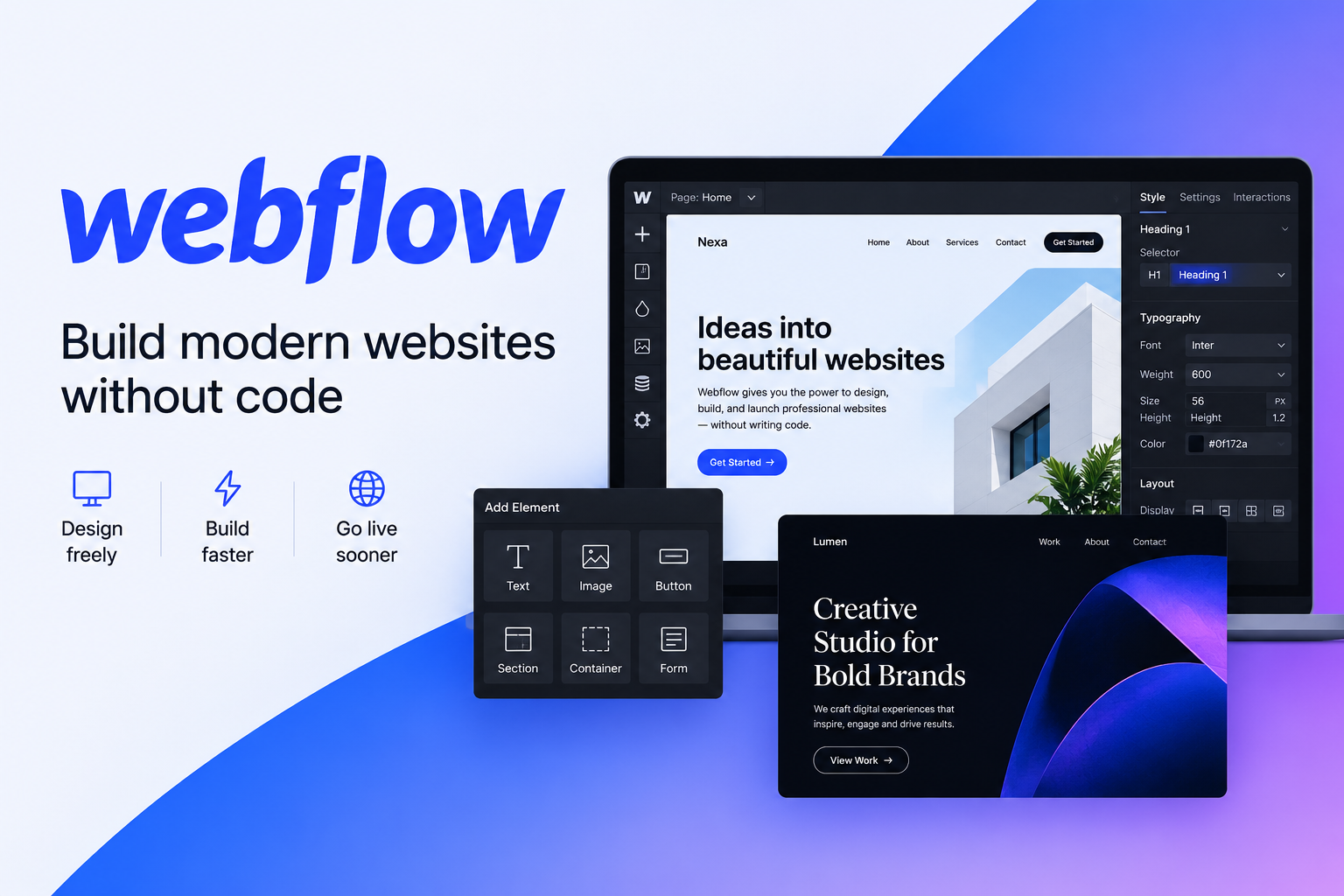
Webflow is a visual website development platform that helps individuals, businesses, designers, and agencies create professional websites without relying entirely on traditional coding. It combines a visual website builder, content management system (CMS), hosting, and website publishing tools in one platform. Users can design custom layouts, manage website content, create responsive pages, and publish websites using their own domain with a suitable paid Site plan.
One of Webflow’s main advantages is its design flexibility. Unlike basic drag-and-drop website builders, Webflow gives users detailed control over layouts, typography, spacing, animations, and responsive design. This makes it appealing to freelancers, startups, marketing teams, and businesses that want a distinctive online presence.
Webflow also provides SEO settings, including customizable page titles, meta descriptions, image alt text, sitemap controls, and canonical URLs. These features help website owners manage important aspects of search engine optimization, although rankings still depend on content quality, competition, site performance, and other factors.
For anyone researching a Webflow website builder review, the main question is whether its creative freedom and integrated tools justify its cost and learning curve. Beginners can explore its free Starter option before deciding whether a paid plan fits their website goals.
Overview of Webflow
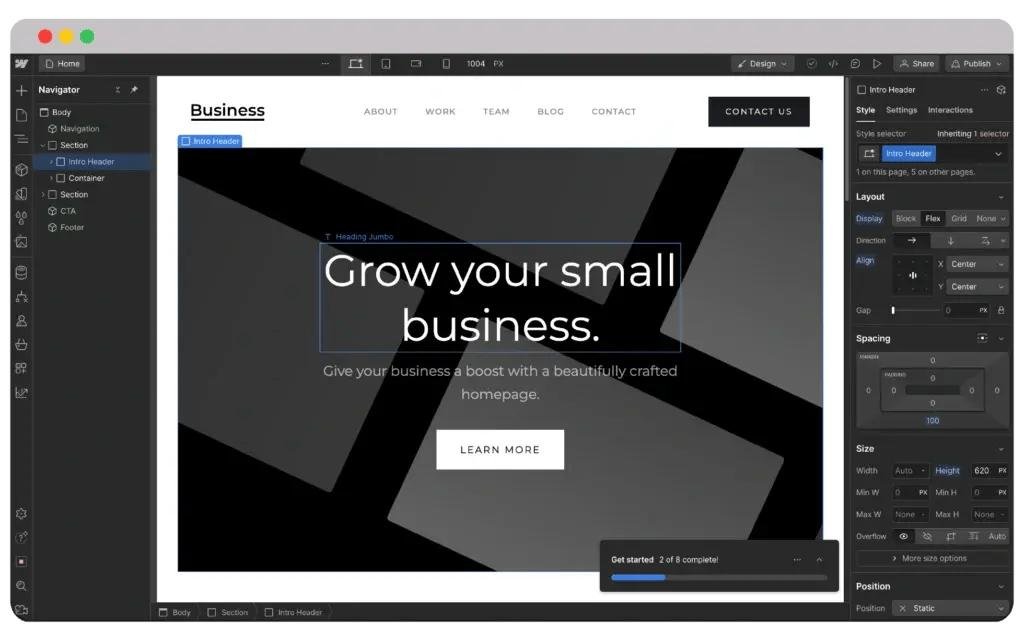
Webflow brings website design, content management, and publishing together, making it an option for people who want more control over their websites than many beginner-focused builders provide. Its visual editor allows users to build pages while adjusting layout properties and styling without manually writing every line of HTML and CSS.
The platform supports different website types, including business websites, portfolios, landing pages, blogs, and content-rich marketing sites. Its CMS helps organize repeatable content, such as articles, team profiles, projects, and case studies. Users can create reusable layouts and update structured content without redesigning each page individually.
Webflow also offers hosting and custom-domain publishing through its paid Site plans. A free Starter plan is available for experimenting with the platform, although it has restrictions on published pages and other features. Businesses should review the current limits before choosing a plan.
A major benefit is the balance between visual design and technical control. However, users unfamiliar with web design concepts may need time to understand layouts, responsive breakpoints, classes, and the CMS. Webflow is therefore particularly suitable for people who value customization and are willing to learn the interface.
Webflow Website Builder Features
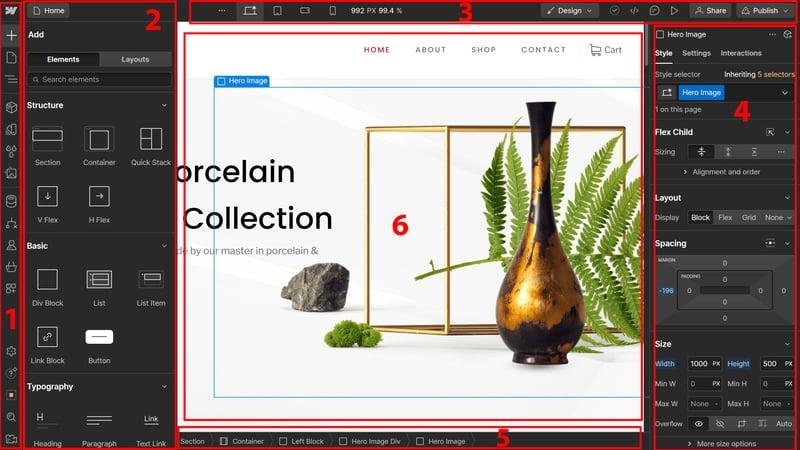
Webflow offers several website-building features designed to help users create customized, responsive, and professional-looking websites. Its visual Designer provides control over page structure, typography, colors, spacing, positioning, and other styling details. This makes it useful for businesses that want a distinctive website rather than a design that looks identical to many standard templates.
Responsive design tools allow users to adjust layouts for different screen sizes. Designers can also create interactions and animations to make navigation and page elements more engaging. These features are particularly helpful for portfolios, brand websites, landing pages, and interactive marketing experiences.
Another important feature is the Webflow CMS, which lets users organize structured content into collections. Depending on the selected plan, CMS tools can support blogs, case studies, directories, and other content-driven pages. Forms, hosting, backups, and custom-domain publishing are also available according to plan eligibility.
Webflow includes AI-powered capabilities for tasks such as generating copy, creating sections, and assisting with website improvements, with access depending on the relevant plan and available credits.
The main drawback is that extensive customization can feel complicated for first-time users. People looking for a simple website with minimal setup may prefer a more straightforward builder. Before choosing Webflow, consider how much design control your project actually needs.
Webflow Pricing and Plans
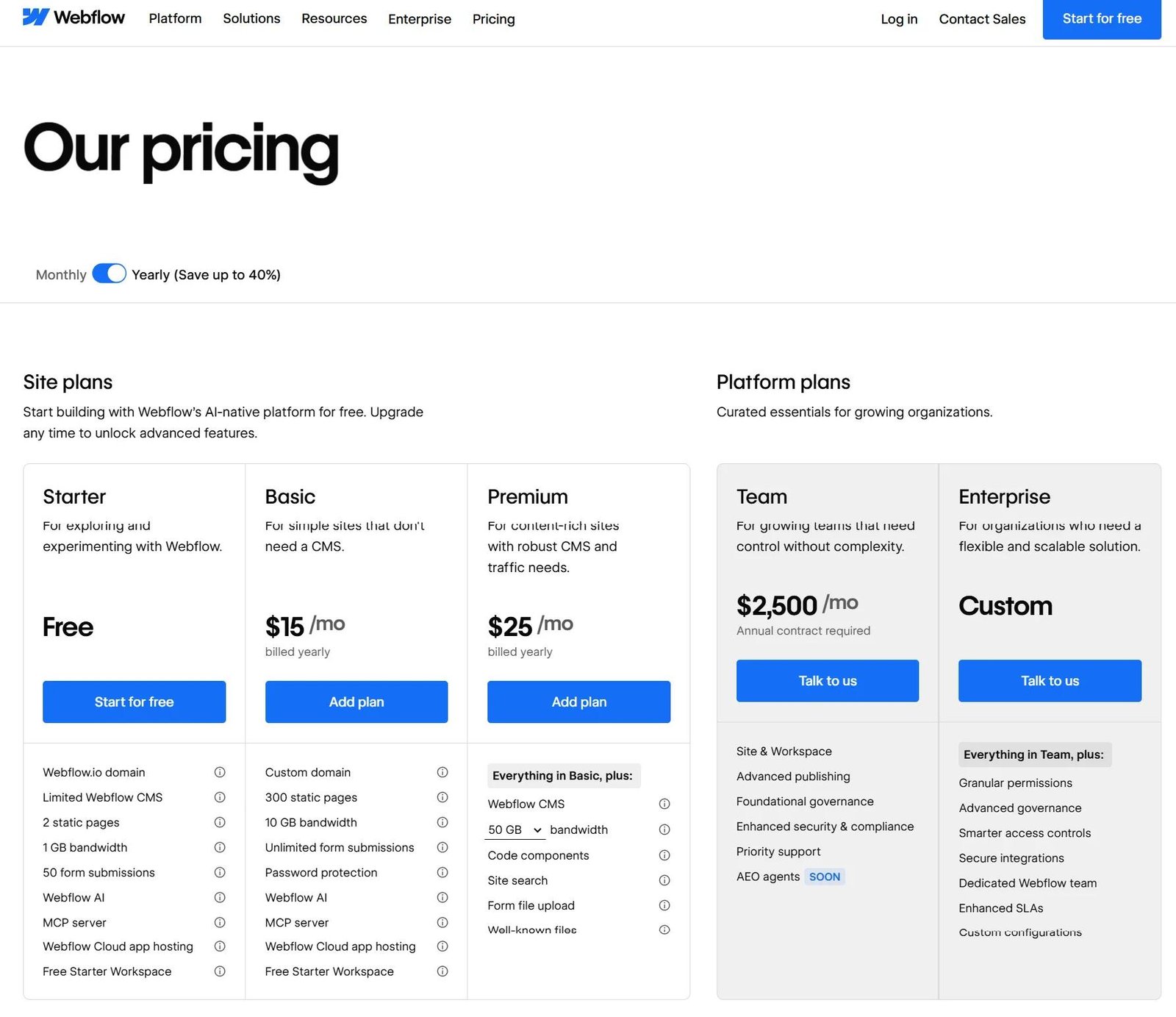
Webflow pricing depends on the features your website requires, how you intend to publish it, and whether you need collaboration tools. The platform separates Site plans, which provide hosting and website-specific features, from Workspace plans, which support building and managing projects. Understanding this distinction helps prevent unexpected costs.
According to Webflow’s current official pricing page, the Starter Site plan is free. The Basic Site plan is listed at $15 per month when billed yearly, while the Premium plan is listed at $25 per month when billed yearly. Prices are in US dollars, apply per site, and taxes may be added. The Premium plan includes CMS functionality for content-rich websites.
| Plan | Listed Price | Best Suited For |
|---|---|---|
| Starter | Free | Learning and experimenting |
| Basic | $15/month, yearly billing | Simple websites |
| Premium | $25/month, yearly billing | CMS and content-rich sites |
Ecommerce plans and Workspace upgrades have separate pricing. Monthly billing may also cost more than annual billing.
Before purchasing, compare page limits, CMS capacity, bandwidth, hosting requirements, and collaboration features. If you are launching a simple portfolio, a lower-cost option may be enough. For a regularly updated blog or business website, evaluate whether Premium’s CMS features justify the additional expense. Always confirm the final price on the official pricing page before checkout.
Webflow Templates and Design Tools
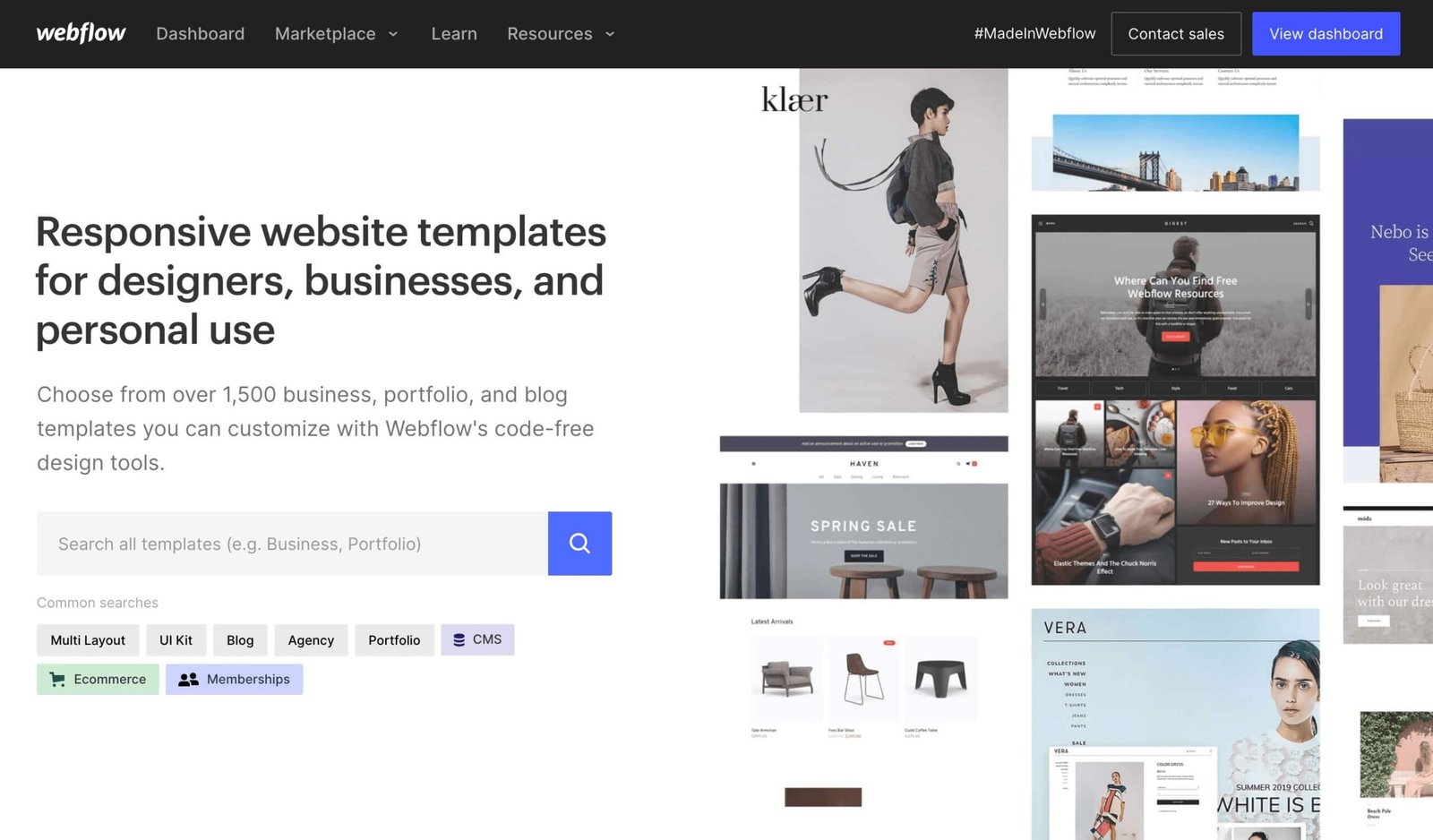
Webflow templates give users a starting point for building websites without designing every page from scratch. Depending on the template, they may include ready-made layouts for homepages, service pages, portfolios, blogs, contact forms, and other common website sections. Templates can help freelancers and small businesses launch a professional-looking website more efficiently.
The platform’s visual design tools allow users to customize typography, colors, spacing, page structure, images, and responsive layouts. This means a template does not have to determine the final appearance of a website. With thoughtful editing, users can adapt the design to their brand identity, audience, and business goals.
When selecting a Webflow template, focus on functionality rather than appearance alone. A visually attractive design may still be unsuitable if its navigation is confusing, its mobile layout is weak, or its CMS structure does not match your content needs. Check whether the template supports the page types and features your project requires.
Some templates may be free, while others require a separate purchase. Review the license, included components, and any additional costs before buying.
Webflow templates are useful for saving time, but the best choice is one that combines attractive design, usability, accessibility, and room for future growth.
Webflow CMS and SEO Features

Webflow’s content management system helps users organize and publish structured content without manually building every page. Website owners can create collections for blog posts, projects, team members, case studies, and other repeatable content. Collection templates make it easier to maintain a consistent design while updating individual entries.
For search engine optimization, Webflow provides controls for page titles, meta descriptions, image alt text, Open Graph settings, canonical URLs, and XML sitemaps. Depending on the plan and configuration, users can also manage redirects, indexing preferences, and other technical SEO settings. These features are useful for creating a website that search engines can understand and crawl effectively.
However, using an SEO-friendly website builder does not automatically guarantee high Google rankings. Website owners still need to research relevant keywords, publish helpful and original content, structure internal links, optimize images, and provide a good mobile experience. Page speed, competition, backlinks, and search intent can also influence organic performance.
For a blog, set a clear primary topic for each article and write titles and descriptions that accurately reflect its content. Use descriptive URLs, meaningful headings, and useful internal links. Avoid publishing large volumes of repetitive pages simply to target keywords.
Webflow can provide a solid technical foundation for SEO, but sustainable organic traffic depends on the quality, relevance, and usefulness of the website as a whole.
Webflow Reviews: What Do Customers Think?
When researching Webflow reviews, prospective users should consider both its creative strengths and its practical limitations. The platform is designed to provide detailed visual control, making it attractive to designers, agencies, and businesses that want customized websites. Its integrated hosting, CMS, and publishing tools can also reduce the need to manage several separate services.
One important advantage is the ability to create distinctive layouts and responsive experiences. Users who understand web design concepts may appreciate having control over styling, animations, and reusable components. The CMS is another useful feature for teams publishing blogs, case studies, and frequently updated content.
However, Webflow may not suit everyone. Beginners can find its interface more complex than simpler website builders, especially when working with responsive layouts, classes, and dynamic content. Pricing also deserves attention because hosting, Workspace features, ecommerce functionality, and optional services may involve separate charges.
When evaluating customer feedback, look for recurring comments across multiple independent review platforms rather than relying on a single testimonial. Pay particular attention to recent reviews, customer support experiences, ease of use, billing, and publishing reliability.
It is also important to distinguish individual experiences from universal facts. A designer building marketing websites may value Webflow differently from a blogger who primarily needs straightforward publishing.
The best assessment combines verified product features, current pricing, and reviews from people whose needs resemble your own.
Is Webflow Worth It?
Webflow can be worth considering if you want a highly customizable website and prefer visual design tools over extensive manual coding. It is particularly relevant for design-focused businesses, creative portfolios, marketing websites, agencies, and companies that need a polished online presence with room to grow.
Its strongest advantage is the level of control available over layouts, styling, interactions, and responsive design. The CMS can also help businesses maintain blogs, case studies, and other structured content. Built-in hosting and SEO controls provide additional convenience for teams that prefer an integrated platform.
However, Webflow is not automatically the best choice for every project. Its interface has a learning curve, and users who only need a basic website may find the available customization more complicated than necessary. Subscription costs should also be considered alongside any template purchases, Workspace upgrades, ecommerce fees, and other required services.
To decide whether Webflow is worth the money, list your essential features before selecting a plan. Consider your budget, content publishing needs, technical experience, expected traffic, and long-term maintenance requirements. You can start with the free option to explore the editor before committing to paid hosting.
Our assessment: Webflow is worth evaluating for users who prioritize design flexibility and professional presentation. For people who mainly need affordable, straightforward blogging, comparing it with WordPress and simpler builders may lead to a better fit.
Webflow Promotions and Discounts
People searching for Webflow discounts or promotional offers should begin with the platform’s official pricing page. Webflow provides a free Starter option, which allows users to explore the website builder before paying for a Site plan. This is a practical way to evaluate the editor, experiment with layouts, and understand the workflow without immediately committing to a subscription.
Paid plans may have different costs depending on the selected features and billing frequency. For example, the displayed annual-billing prices can be lower on a monthly equivalent basis than paying month to month. However, annual billing generally involves a longer financial commitment, so compare the total amount charged before choosing it.
If you are looking for a Webflow coupon code, avoid assuming that codes advertised on third-party websites are valid. Some may be expired, restricted to particular customers, or unrelated to the plan you need. Check the official checkout page and any published eligibility conditions before relying on a discount.
Businesses, students, freelancers, and agencies should also review any official eligibility-based programs that may be available to them. Terms can change, so verify current requirements directly with Webflow.
A sensible approach is to calculate your total first-year cost, including hosting, any paid template, ecommerce features, and optional services. Choose a plan because it meets your needs—not simply because an advertised offer appears inexpensive.
Where to Buy or Sign Up for Webflow
The safest way to access Webflow is through its official website at Webflow.com. From there, you can create an account, explore the website builder, review available templates, and compare subscription plans. Starting through the official platform also makes it easier to verify current prices and understand which features are included.
If you are new to website development, begin with the free Starter option. Use it to explore the Designer, experiment with page layouts, and determine whether the interface suits your experience level. You can build a basic project before deciding whether you need paid hosting or advanced functionality.
Before upgrading, visit the official Webflow pricing page and compare the Site and Workspace plans. A Site plan is associated with an individual website and provides the features needed to publish that site, while a Workspace plan focuses on project staging and collaboration. These plans serve different purposes, so avoid purchasing an upgrade without understanding what it unlocks.
You should also check the billing frequency, currency, applicable taxes, renewal conditions, and cancellation terms. If you intend to use a custom domain, remember to budget for domain registration if you do not already own one.
Purchasing directly from Webflow helps you verify the current terms and choose the appropriate setup for your project.
Webflow Pros and Cons
Before choosing Webflow, it is worth comparing its main advantages and disadvantages. The platform offers strong design flexibility, but the same level of control can create a learning curve for users who have never built a website.
One major advantage is its visual website editor. Users can customize layouts, typography, colors, animations, and responsive behavior without writing all the code manually. Webflow also combines hosting, CMS functionality, and publishing tools, which can simplify website management. Its SEO settings are useful for managing metadata, sitemaps, canonical URLs, and other optimization tasks.
Webflow may be more complicated than necessary for someone who wants a simple personal website or a basic blog. Understanding its layout system and responsive design tools can take time. Costs can also increase when you need paid hosting, ecommerce features, premium templates, or additional collaboration capabilities.
| Pros | Cons |
|---|---|
| Extensive design customization | Learning curve for beginners |
| Visual website development | Paid hosting for custom-domain publishing |
| CMS for structured content | Some features require higher-tier plans |
| Built-in SEO controls | Pricing needs careful comparison |
| Responsive design tools | Less suitable for users wanting a very simple setup |
Webflow is a strong option for design-focused projects, but the right choice depends on your budget, technical confidence, and website requirements. Compare alternatives before committing.
Webflow vs. WordPress
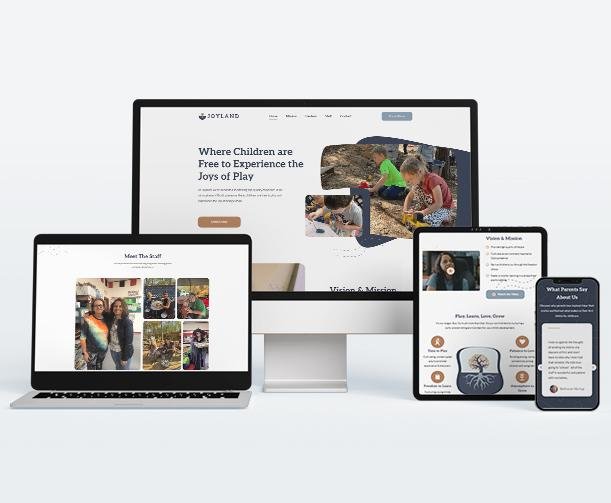
Webflow and WordPress are both popular options for building websites, but they approach website creation differently. Webflow emphasizes visual design and integrated website management, while WordPress offers a flexible publishing system with an extensive ecosystem of themes, plugins, and hosting providers.
Webflow is attractive to users who want detailed control over layouts, animations, and responsive design through a visual interface. Its hosting and design tools are closely integrated, which can simplify some technical tasks. However, its paid Site plans and CMS limits should be considered when planning a growing website.
WordPress is particularly appealing to bloggers, publishers, affiliate marketers, and businesses that want extensive content-management options. WordPress software can be used with different hosting providers, and its plugin ecosystem supports many additional features. However, hosting, backups, security, themes, and plugin maintenance may require separate decisions and ongoing management.
| Feature | Webflow | WordPress |
|---|---|---|
| Design | Advanced visual customization | Themes and block editor |
| Hosting | Integrated paid hosting options | Depends on hosting provider |
| Plugins | More controlled integrations | Extensive plugin ecosystem |
| SEO | Built-in SEO controls | Built-in features and SEO plugins |
| Learning Curve | Requires design-system learning | Varies with setup and plugins |
| Best For | Design-led websites | Blogs and flexible publishing |
For affiliate blogs and content-heavy websites, WordPress may offer greater flexibility. For visually distinctive marketing websites, Webflow may be a better fit. Your content workflow and budget should determine the final decision.
Final Thoughts
Webflow is a capable website-building platform for users who want creative freedom, responsive layouts, and integrated publishing tools. Its visual Designer, CMS, hosting options, and SEO settings make it useful for portfolios, business websites, marketing pages, and content-rich projects.
One of its strongest advantages is the ability to create a distinctive website without manually coding every element. Designers can adjust layouts, experiment with interactions, and build reusable components to maintain a consistent brand experience. The CMS also helps organize content, making it easier to manage collections of articles, projects, and case studies.
Nevertheless, prospective users should consider the learning curve and ongoing subscription costs. Beginners may need time to understand Webflow’s interface, while users with basic blogging requirements may not need its extensive design controls. Paid hosting, Workspace upgrades, and additional services should be included when estimating the total cost of ownership.
Before signing up, identify your essential features and compare the available plans. Testing the free Starter option is a sensible way to determine whether Webflow fits your workflow before purchasing a subscription.
Webflow deserves consideration if design flexibility and professional presentation are your priorities. However, it is not automatically the best website builder for every user. The right decision depends on your project, budget, technical skills, and long-term publishing needs.
Conclusion
Webflow offers a combination of visual website design, content management, hosting, and publishing features that can help businesses and individuals create professional websites. Its customization tools make it particularly attractive to designers, agencies, startups, and brands that want greater control over their online presence.
The platform also provides useful SEO settings, responsive design capabilities, and CMS functionality. These features can support a website’s technical foundation, but successful search engine optimization still requires original content, appropriate keyword targeting, a clear site structure, and a positive visitor experience.
The main considerations are Webflow’s learning curve, subscription pricing, and the possibility that some advanced features require a more expensive plan. Users who primarily need a simple blog or an inexpensive publishing setup should compare Webflow with WordPress before making a decision.
Our recommendation is to start by exploring the free Starter option, testing the visual editor, and identifying the features you actually need. Then compare the total cost of the relevant plans rather than focusing only on the advertised monthly price.
Webflow can be a worthwhile investment for projects that benefit from sophisticated visual design and integrated website tools. Carefully evaluating your requirements will help you decide whether its advantages justify the cost for your specific website.
FAQs About Webflow
What is Webflow used for?
Webflow is used to design, build, manage, and publish websites. Common uses include business websites, portfolios, landing pages, blogs, and marketing websites.
Is Webflow free to use?
Webflow offers a free Starter option for experimenting and building projects. Custom-domain publishing and additional features generally require an appropriate paid Site plan.
How much does Webflow cost?
The official pricing page lists the Basic Site plan at $15 per month and the Premium plan at $25 per month with yearly billing. Other plans and services have separate prices, so check the official page for current details.
Is Webflow good for SEO?
Webflow provides tools for metadata, image alt text, sitemaps, canonical URLs, and other SEO settings. Rankings still depend on content quality, competition, and overall website performance.
Is Webflow suitable for beginners?
Yes, beginners can learn Webflow, but its visual design system may take time to understand. Starting with a template or free project can help.
Is Webflow better than WordPress?
Neither is universally better. Webflow emphasizes visual design control, while WordPress offers a broad publishing and plugin ecosystem. The best choice depends on your requirements.
Can I use my own domain with Webflow?
Yes. An eligible paid Site plan lets you connect a custom domain. Domain registration may cost extra if you do not already own one.
Is Webflow worth paying for?
It can be worthwhile if you need custom designs, responsive layouts, and integrated website tools. Compare its features and total cost with alternatives before subscribing.
