


Choosing the right landing page builder can make a significant difference when creating a website, promoting a product, collecting leads, or growing an online business. A well-designed landing page can help turn visitors into subscribers, potential customers, and paying clients. However, building effective landing pages often requires a combination of design skills, marketing knowledge, and the right software.
This is where Leadpages comes into the picture. It is a landing page and conversion optimization platform designed to help businesses, marketers, entrepreneurs, and creators build professional pages without needing advanced coding knowledge.
But is Leadpages really worth paying for in 2026? Does it offer enough features to justify its subscription costs? And is it a good choice for beginners who want to create landing pages without hiring a web designer?
This Leadpages review, we will explore its features, templates, AI tools, pricing plans, integrations, customer feedback, advantages, disadvantages, and alternatives. We will also look at its cancellation and refund policies to help you understand what to expect before subscribing.
If you are considering Leadpages for your next marketing project, this guide will help you make a more informed decision.
Leadpages Review: An Overview
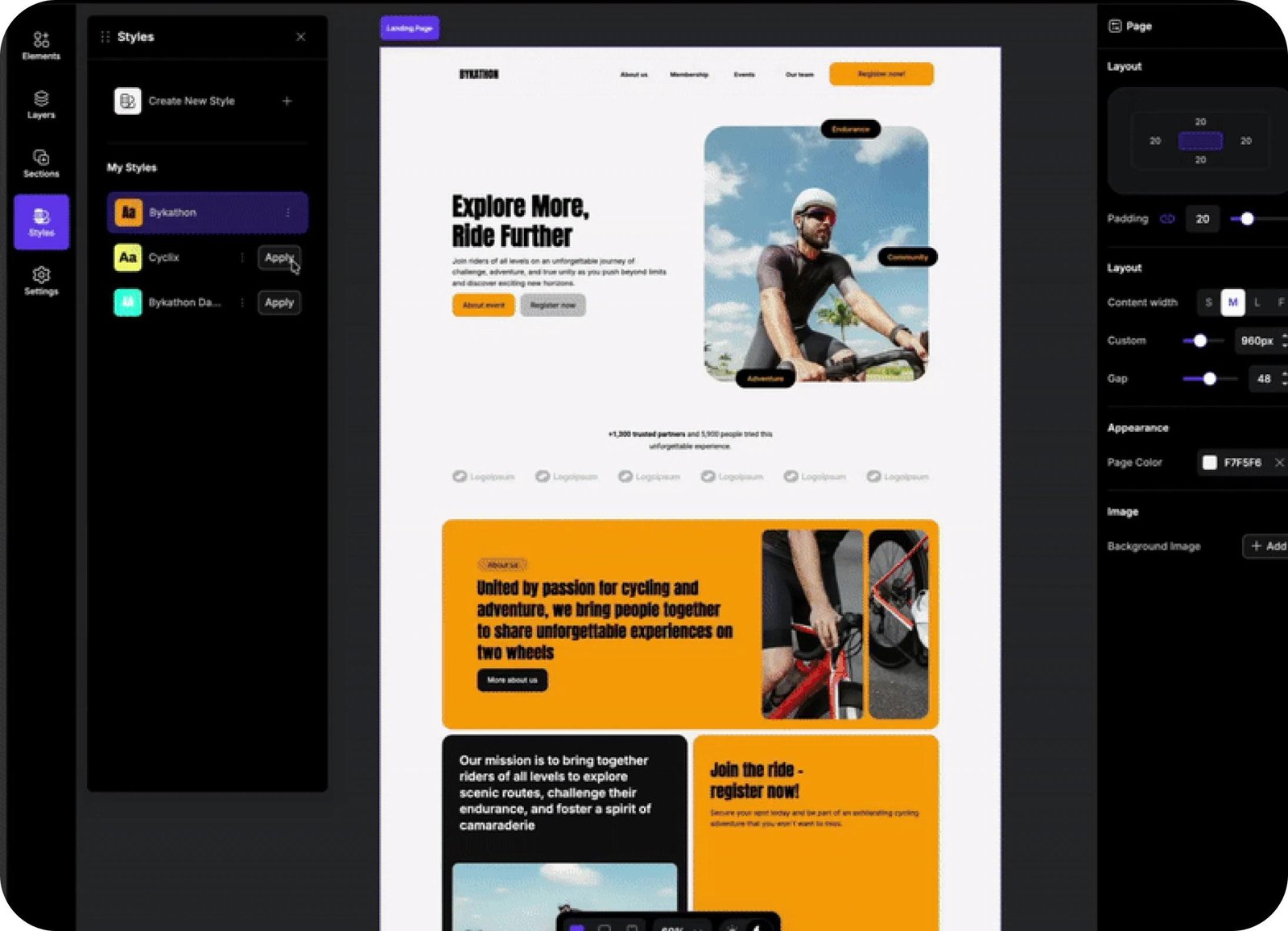
Leadpages is a landing page creation platform designed to help businesses, entrepreneurs, and digital marketers build professional web pages without requiring advanced coding or web development skills. It provides a range of customizable templates, page-building tools, lead capture forms, and marketing features that make it easier to create pages for different business goals.
One of the main advantages of Leadpages is its focus on lead generation and conversion optimization. Users can create dedicated pages for product promotions, email subscriptions, webinar registrations, service inquiries, and marketing campaigns. The platform also offers AI-assisted page creation, helping users develop page layouts and content more efficiently.
Leadpages is suitable for small businesses, freelancers, consultants, online entrepreneurs, and marketing agencies. Its different subscription plans allow users to choose features based on their requirements. Leadpages is worth considering if you want a dedicated landing page builder with marketing and lead generation capabilities.
What Is Leadpages?
Leadpages is an online landing page builder that helps individuals and businesses create web pages designed to generate leads and encourage visitors to take specific actions.
Instead of building every page from scratch, users can work with professionally designed templates, customize layouts, add images, create forms, and publish pages using the platform’s editor.
Leadpages is particularly useful for businesses that want dedicated pages for marketing campaigns. For example, an online business might create a landing page to promote a new product, while a consultant could use one to collect appointment requests or email subscribers.
The platform also includes tools for testing different page versions and understanding visitor behavior. Depending on the subscription plan, users can access features such as A/B testing, AI-powered page creation, heatmaps, and conversion optimization tools.
One of its main attractions is its no-code approach. Users do not need extensive technical knowledge to get started.
Leadpages can be useful for:
- – Small businesses and startups.
- – Digital marketers and marketing agencies.
- – Coaches and consultants.
- – Online course creators.
- – Freelancers and independent professionals.
- – E-commerce businesses.
- – Companies running advertising campaigns.
Leadpages aims to make landing page creation and marketing optimization more accessible through one online platform.
Businesses exploring website creation tools can also read our detailed Webflow Review to learn more about website design and development features.
How Does Leadpages Work?
Leadpages follows a relatively straightforward process. Users start by selecting a template or generating a page with its AI-powered builder. They can then customize the design, add their content, connect forms, and publish the finished page.
The general process involves four main stages.
1. Choose a Template or Create a Page With AI
Users can select a professionally designed template based on their business type or marketing objective. Alternatively, they can describe the page they want to create using the AI page creation feature.
2. Customize Your Landing Page
The editor allows users to adjust text, images, colors, layouts, buttons, and other page elements. This helps businesses create pages that match their branding and marketing goals.
3. Add Lead Collection Forms
Users can add forms to collect visitor information, such as email addresses and other relevant contact details. Form submissions can be connected to supported marketing platforms and business tools.
4. Publish and Monitor Performance
After completing the design, users can publish their landing pages using a custom domain. Available analytics and optimization tools can help them understand how visitors interact with their pages.
This workflow makes Leadpages a practical option for people who want to create marketing pages without managing a complicated website development process.
Leadpages Features and Tools
One of the biggest reasons people consider Leadpages is its collection of page-building and conversion optimization tools. Rather than focusing only on design, the platform also provides features that help businesses manage leads and improve marketing campaigns.
Here are some of the important Leadpages features to understand.
1. Drag-and-Drop Landing Page Builder
The landing page editor is one of the platform’s central features. It allows users to customize page content and layouts without writing code.
Users can add headlines, images, buttons, forms, and other elements to create pages that match their marketing objectives.
This is useful for beginners who want more control over their page design without depending on a developer. Experienced marketers can also use the editor to build campaign-specific pages.
2. AI Landing Page Builder
Leadpages offers AI-assisted page creation. Users can provide a description of their business, campaign, or marketing objective, and the AI tool can generate a starting page.
This can reduce the time required to create an initial layout and draft page content.
AI-generated content should not automatically be treated as publication-ready. Businesses should review headlines, descriptions, calls to action, and other details to make sure they accurately represent their products and services.
3. Professional Landing Page Templates
Templates provide a starting point for people who do not want to design pages from scratch.
Leadpages offers templates for different industries and marketing purposes, including:
- – Lead generation pages.
- – Webinar registration pages.
- – Product promotion pages.
- – Sales landing pages.
- – Coming-soon pages.
- – Thank-you pages.
- – Business marketing campaigns.
Users can customize these templates with their own images, text, colors, and branding.
4. A/B Testing
A/B testing allows marketers to compare different versions of a landing page.
For example, a business could test two headlines to understand which version encourages more visitors to complete a form.
Other elements that can be tested include:
- – Page headlines.
- – Button text.
- – Images.
- – Page layouts.
- – Form placement.
- – Calls to action.
Manual A/B testing is available on the Grow plan and higher according to the current plan comparison.
5. Smart Traffic and Heatmaps
Leadpages also offers more advanced conversion optimization features.
Smart Traffic uses AI to route visitors toward page variations that may be more relevant to them. Heatmaps provide visual information about visitor interactions, such as clicks and scrolling activity.
These tools are particularly relevant to businesses running multiple marketing campaigns or trying to improve landing page performance.
Smart Traffic and heatmaps are associated with higher-tier plans, so smaller businesses should consider whether they actually need these features.
6. Lead Capture Forms
Lead capture forms help businesses collect information from website visitors.
For example, a business can create a page offering a downloadable guide in exchange for an email address. A consultant might use a form to collect inquiries from potential clients.
Leadpages supports form submissions and connections with other marketing tools, helping businesses organize the information they collect.
7. Custom Domains and SSL
Businesses can publish landing pages using their own domains rather than relying entirely on a platform-branded address.
Leadpages also includes SSL support on its paid plans. SSL helps establish an encrypted connection between a website and its visitors.
This is useful for businesses that want their landing pages to maintain consistent branding and a professional appearance.
If you are looking for tools to manage marketing campaigns and customer communication, check out our ActiveCampaign Review.
Leadpages Pricing and Plans
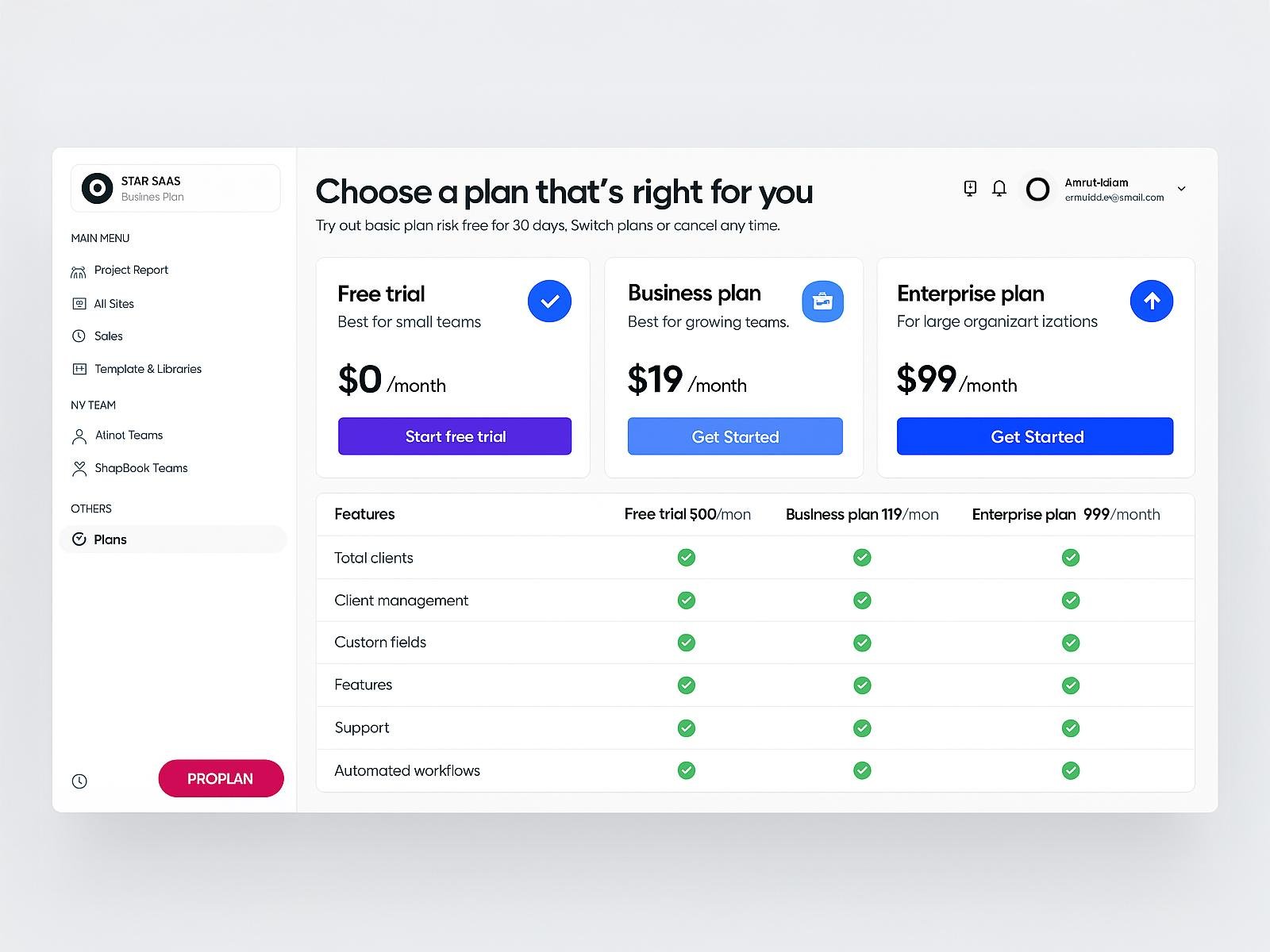
Pricing is an important factor to consider before choosing a landing page builder. Leadpages offers several subscription options designed for different business requirements, from basic page publishing to advanced conversion optimization.
According to its current official pricing information, the platform offers the following monthly plans.
| Leadpages Plan | Monthly Price | Best For |
|---|---|---|
| Pro | $29/month | Individuals and beginners |
| Business | $49/month | Small businesses |
| Grow | $99/month | Marketers needing A/B testing |
| Optimize | $199/month | Conversion-focused businesses |
| Scale | $399/month | Larger teams and agencies |
Pro Plan
The Pro plan starts at $29 per month. It is designed for individuals and smaller businesses that primarily need page-building and publishing functionality.
It includes AI page creation, custom domain support, SSL, and basic publishing tools. However, manual A/B testing is not included.
This plan may be suitable if your main objective is creating and publishing marketing pages rather than running advanced conversion experiments.
Business Plan
The Business plan starts at $49 per month. It provides additional publishing capacity compared with Pro.
Its features include more custom domains, additional sites, increased storage, and lead CSV export capabilities.
This option may appeal to growing businesses that need more flexibility but do not yet require advanced conversion optimization tools.
Grow Plan
The Grow plan starts at $99 per month and is designed for businesses that want more than basic page publishing.
It includes unlimited pages, A/B testing, multiple page variants, additional custom domains, and other optimization-related features.
For marketers who regularly run advertising campaigns and want to compare landing page performance, Grow may offer a more useful feature set.
Optimize Plan
The Optimize plan starts at $199 per month. It adds more advanced conversion optimization capabilities.
Depending on the current plan configuration, features include Smart Traffic, heatmaps, personalization tools, additional domains, and more team access.
It may be worth considering for businesses that already receive consistent website traffic and want to improve their marketing performance.
Scale Plan
The Scale plan starts at $399 per month. It is intended for larger teams and organizations managing multiple campaigns or brands.
It provides greater account capacity, additional team seats, more domains, and advanced optimization features.
For smaller businesses, this plan may be more than necessary. Larger marketing teams should compare its additional capabilities against their actual requirements.
Which Leadpages Plan Should You Choose?
- – Choose Pro if you primarily need basic landing page publishing.
- – Choose Business if you need additional publishing capacity.
- – Choose Grow if A/B testing is important to your marketing activities.
- – Choose Optimize if you need advanced conversion optimization.
- – Choose Scale if you manage multiple campaigns and require additional team capacity.
Leadpages also advertises annual billing savings of up to 20%. Make sure you compare the full annual payment with the monthly option before making a decision.
You can also compare different marketing platforms by reading our GetResponse Review.
Leadpages Free Trial: What Should You Know?
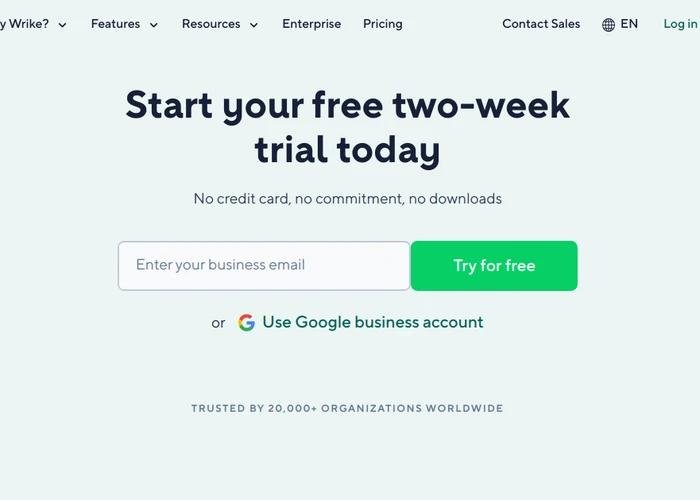
If you are unsure whether Leadpages is suitable for your business, its free trial provides an opportunity to explore the platform before committing to a paid subscription.
The current pricing page advertises a 7-day free trial, with access to the features included in the selected plan during the trial period.
This allows potential customers to explore the editor, templates, AI page creation tools, and other available features.
Before signing up, there are a few things to consider:
- – Check whether payment information is required during registration.
- – Confirm the trial duration shown at checkout.
- – Review the selected subscription plan.
- – Check when the first payment will be collected.
- – Cancel before the trial expires if you do not want a paid subscription.
One important point is that trial terms and account arrangements can change. The current pricing page and the terms displayed during signup should be treated as the final reference.
Leadpages AI Builder Review
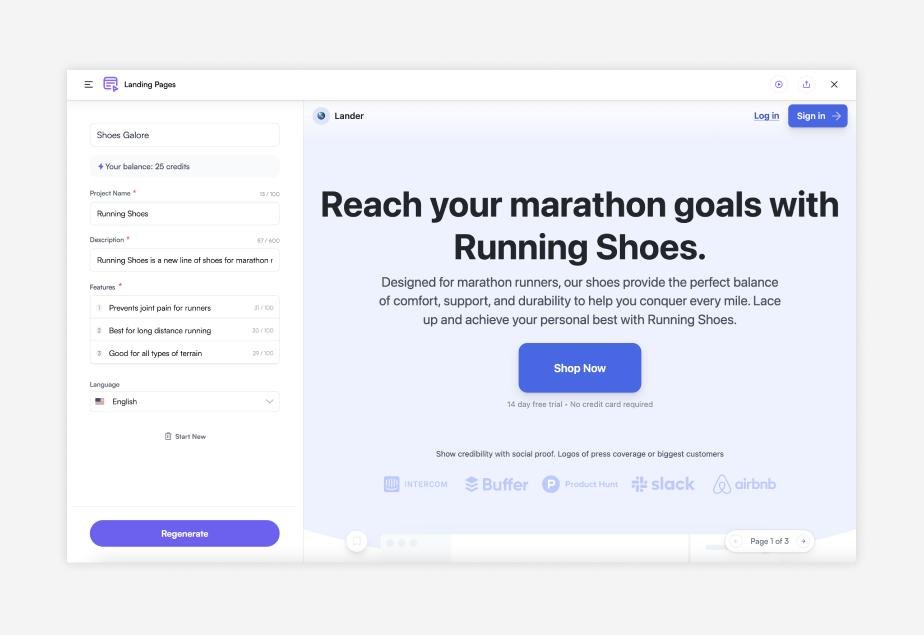
The Leadpages AI Builder is designed to simplify the landing page creation process by using artificial intelligence to help generate page layouts and content. Instead of starting with a blank page, users can provide information about their business, target audience, products, or marketing objectives and use AI assistance to create an initial page.
This feature can be particularly useful for beginners who are unsure how to organize their landing page content. It can help generate headlines, descriptions, and other page elements that users can customize according to their brand requirements.
For example, a consultant promoting professional services could use AI assistance to develop a starting layout featuring service information, benefits, and a contact form. Similarly, an online business could create a promotional page for a new product.
AI-generated content should always be reviewed before publishing. Users should check factual accuracy, branding, readability, and calls to action. the Leadpages AI Builder can save time during the initial design process, although the final quality still depends on how users customize and optimize their pages.
If you are interested in AI-powered tools for creating and editing digital content, read our detailed Descript Review.
Leadpages Templates and Landing Page Design
Templates can make landing page creation considerably easier, particularly for users who do not have a background in web design.
Leadpages provides professionally designed templates for different business categories and marketing goals. Instead of starting with an empty page, users can select a layout that already contains important design elements.
For example, someone promoting an online course may choose a registration-focused template, while a small business might prefer a product or service promotion layout.
The main advantages of using templates include:
- – Faster page creation.
- – Consistent design structure.
- – Easier content organization.
- – Customizable branding elements.
- – Layouts for different marketing purposes.
Users can customize page elements, including text, images, colors, and buttons.
Mobile responsiveness is another important consideration. Since many visitors browse websites using smartphones, businesses should check how their landing pages appear on smaller screens before publishing.
Leadpages templates provide a convenient starting point for building marketing pages without designing every element independently.
Leadpages Integrations
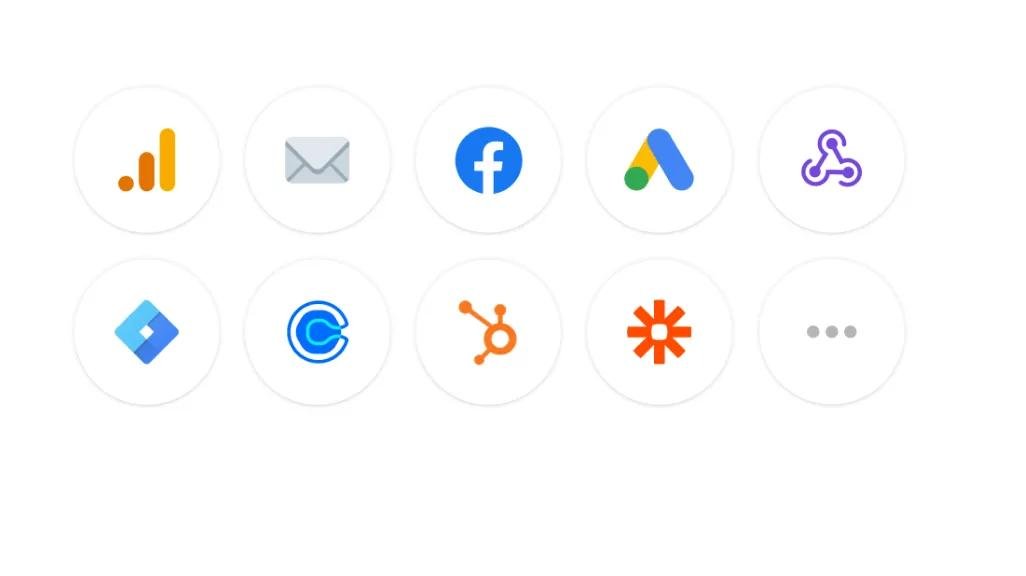
Marketing campaigns often require multiple tools to work together. A landing page may collect visitor information, an email marketing platform may send follow-up messages, and a CRM may help manage potential customers.
Leadpages supports integrations that help connect these activities.
Some of the platforms and services listed in its official documentation include:
| Integration | Potential Use |
|---|---|
| Mailchimp | Email marketing |
| ActiveCampaign | Marketing automation |
| HubSpot | Customer relationship management |
| Salesforce | Sales and customer management |
| Zapier | Workflow automation |
| Google Analytics | Website performance tracking |
| Facebook Pixel | Advertising measurement |
| Stripe | Payment processing |
These integrations can be useful for businesses that want to connect landing page activities with their existing marketing systems.
Before subscribing, check whether your most important business tools are supported and whether any additional integration costs apply.
Businesses interested in email marketing solutions can also explore our Brevo Review to understand its features and pricing.
Leadpages Free Trial: What You Should Know
If you are interested in trying Leadpages but are not ready to purchase a subscription, its free trial can provide an opportunity to explore the platform before making a financial commitment. Leadpages currently advertises a seven-day free trial, allowing eligible new users to experience the platform and evaluate its available tools.
During the trial, users can explore the landing page editor, available templates, AI-assisted page creation, and other features included with their selected plan. This can help you understand whether the platform matches your website-building and marketing requirements.
Before starting the Leadpages free trial, consider a few important points:
- – Check whether payment information is required during registration.
- – Review the selected subscription plan and its included features.
- – Confirm the trial expiration date.
- – Check when your first subscription payment will be collected.
- – Understand the cancellation and refund conditions.
- – Cancel before the trial expires if you do not want to continue with a paid subscription.
The free trial is a useful way to evaluate Leadpages without immediately committing to a long-term subscription. However, always check the latest terms displayed on the official website because trial availability and conditions can change.
Official website: Visit Leadpages
Leadpages Customer Reviews and Ratings
Customer feedback is an important part of evaluating any software platform. However, it is important to distinguish between individual opinions, verified customer experiences, and general product capabilities.
When researching Leadpages, potential customers should look at feedback covering several areas.
Ease of Use: Beginners may appreciate the availability of templates and AI-assisted page creation. However, the overall experience can depend on how familiar someone is with website editors.
Page Design: Users should consider whether the available layouts and customization options are suitable for their business requirements.
Pricing: Subscription costs can become an important consideration, particularly for small businesses that only need a few landing pages.
Marketing Features: A/B testing and advanced optimization tools may be useful to businesses that regularly measure campaign performance.
Customer Support: It is worth checking recent customer feedback about response times, technical assistance, and account-related support.
We recommend checking recent independent review platforms before making a final decision. Customer ratings can change over time, so this article does not present an unverified overall rating or claim that every customer has the same experience.
Is Leadpages Easy to Use?
Leadpages is designed to make landing page creation accessible to people without advanced coding skills.
Its templates and drag-and-drop editing approach can help users create pages without building layouts manually. AI-assisted page creation also provides another starting point for people who want help generating an initial design.
For beginners, the most useful approach is to start with a simple template and gradually customize its content.
Creating a landing page and creating an effective landing page are two different things. Users still need to think about their audience, page messaging, visual presentation, and calls to action.
Some advanced marketing features may also require time to understand.
Therefore, Leadpages can be a beginner-friendly option, but users should expect to spend some time learning the available tools before using the platform for more complicated campaigns.
Leadpages Pros and Cons
Before choosing any marketing software, it is helpful to consider both its advantages and limitations.
Pros of Leadpages
- – No-code page building: Users can create landing pages without advanced programming knowledge.
- – AI page creation: AI assistance can help generate an initial page design.
- – Professional templates: Ready-made layouts simplify the design process.
- – A/B testing: Available on Grow and higher plans.
- – Custom domains: Paid plans support custom domain publishing.
- – Marketing integrations: Connections with popular marketing and business tools.
- – Conversion optimization: Advanced tools help businesses analyze and improve page performance.
- – Unlimited traffic: Leadpages advertises no traffic caps or traffic overage fees across its plans.
Cons of Leadpages
- – Subscription costs: Advanced features require more expensive plans.
- – Feature restrictions: A/B testing is not included in the entry-level publishing plans.
- – Learning curve: Some optimization tools may take time to understand.
- – Trial limitations: Users have a relatively short trial period to evaluate the software.
- – Additional costs: Businesses may need separate subscriptions for email marketing, CRM, or other services.
Leadpages offers a useful collection of marketing tools, but its value depends on how many of those tools your business actually needs.
Leadpages vs. Unbounce vs. Instapage
Leadpages is not the only platform available for creating landing pages. Businesses may also consider Unbounce and Instapage when comparing landing page builders.
Each platform has a different feature set, pricing structure, and approach to conversion optimization.
| Feature | Leadpages | Unbounce | Instapage |
|---|---|---|---|
| Landing Page Builder | Yes | Yes | Yes |
| AI-Assisted Creation | Yes | Yes | Yes |
| Templates | Yes | Yes | Yes |
| A/B Testing | Grow and above | Plan-dependent | Plan-dependent |
| Conversion Optimization | Yes | Yes | Yes |
| Custom Domains | Yes | Yes | Yes |
| Best Suited For | Small businesses and marketers | Marketers and agencies | Marketing teams |
| Pricing | Starts at $29/month | Check current pricing | Check current pricing |
Leadpages vs. Unbounce
Unbounce is another landing page platform focused on helping marketers create and optimize campaign pages.
Both services offer page-building tools and conversion-focused features. Leadpages may appeal to users who want different publishing plans and a straightforward starting point.
Unbounce may be worth comparing if your marketing workflow depends heavily on its particular page-building and testing capabilities.
Leadpages vs. Instapage
Instapage is designed for businesses and marketing teams that need landing page creation and campaign optimization tools.
Both platforms can support marketing campaigns, but their available features, account limits, and pricing should be compared carefully.
For businesses managing multiple campaigns, the best choice will depend on team requirements, integrations, publishing capacity, and testing features.
Which Platform Is Better?
There is no universal winner. Leadpages is worth considering if you want a combination of page publishing and optional optimization features. However, businesses should compare current pricing and feature limits across all three platforms before choosing one.
Leadpages Alternatives
If Leadpages does not match your requirements or budget, several other landing page builders are worth exploring.
Here are some alternatives to consider.
1. Unbounce
Unbounce offers landing page creation and conversion optimization tools. It may be suitable for marketing teams that want to experiment with different campaign layouts and page variations.
2. Instapage
Instapage focuses on landing page creation and marketing campaign experiences. It is worth comparing for businesses that manage paid advertising campaigns and need dedicated landing pages.
3. ClickFunnels
ClickFunnels focuses on building sales funnels and managing different stages of the customer journey. It may be more relevant for businesses that want to connect landing pages with sales pages and other funnel components.
4. Landingi
Landingi provides landing page building tools and marketing features. It can be an alternative for users who want to compare different page editors and subscription options.
5. Wix
Wix is a website builder that allows users to create complete websites and individual landing pages. It may be suitable for businesses that need broader website functionality rather than a dedicated landing page platform.
Before choosing an alternative, compare its page limits, custom domain options, integrations, analytics, and subscription costs.
Leadpages Cancellation and Refund Policy
Understanding cancellation and refund terms is important before purchasing any recurring software subscription.
Leadpages allows users to cancel their subscriptions. According to its support documentation, users can manage cancellation through their account’s billing settings.
The general cancellation process is:
- 1. Log in to your Leadpages account.
- 2. Open your account menu.
- 3. Select the Billing section.
- 4. Choose the cancellation option.
- 5. Follow the instructions to confirm cancellation.
Users should check their account to confirm that automatic renewal has been turned off.
What Happens After Cancellation?
According to Leadpages’ support documentation, access generally continues until the end of the current billing period.
After the subscription expires, landing pages and other conversion tools may stop working as expected. Connected custom domains may also become disconnected.
Leadpages states that created assets may be retained for up to one year after account closure, subject to its applicable policies.
Does Leadpages Offer Refunds?
There is an important detail to understand here.
Leadpages’ published terms describe a seven-day money-back guarantee for eligible new accounts after the trial period. However, subscription renewals are not eligible for that guarantee, and cancellation does not automatically mean that previously paid subscription fees will be refunded.
The official support documentation also describes a refund process for eligible first charges.
Because the current pricing page and older support documentation may display different trial arrangements, check the exact trial duration, first payment date, and refund eligibility shown in your account before subscribing.
Who Should Use Leadpages?
Leadpages is designed for different types of users, but it may be particularly useful for people who regularly need dedicated marketing pages.
Here are some examples.
Small Business Owners
Small businesses can use Leadpages to create pages promoting their services, collecting inquiries, and sharing special offers.
Digital Marketers
Marketers may find its page-building and testing features useful when managing advertising campaigns and lead generation activities.
Freelancers and Consultants
Independent professionals can create dedicated pages explaining their services, highlighting their expertise, and collecting potential client inquiries.
Course Creators and Coaches
People offering online courses, workshops, or coaching services can use landing pages to promote programs and collect registrations.
Marketing Agencies
Agencies managing multiple clients may benefit from its additional domains, team access, and campaign optimization capabilities on higher-tier plans.
However, not everyone needs a dedicated landing page platform. If you only need a basic informational website, a traditional website builder may be sufficient.
Tips for Getting Better Results With Leadpages
Choosing a page builder is only one part of creating an effective marketing campaign. The way you organize your landing page can also influence how visitors interact with it.
Here are some practical suggestions.
1. Write a Clear Headline
Your headline should explain what the page offers and why visitors should care. Avoid confusing or overly complicated language.
2. Use Relevant Images
Choose images that support your product, service, or campaign. Avoid adding unnecessary visual elements that distract visitors.
3. Include a Clear Call to Action
Every landing page should have a clear next step. This might be registering for an event, requesting information, or exploring a product.
4. Keep Forms Simple
Only request the information you genuinely need. Complicated forms may discourage visitors from completing them.
5. Check Mobile Layouts
Review your page on smartphones and tablets before publishing. Text, buttons, images, and forms should remain easy to use.
6. Test Different Page Versions
If your plan includes A/B testing, experiment with headlines, layouts, and calls to action. Use actual campaign data rather than assumptions to decide which version performs better.
7. Monitor Your Results
Review visitor activity and conversion data regularly. This can help you identify areas that may need improvement.
These practices can help businesses make more informed use of Leadpages’ page-building and optimization features.
Is Leadpages Worth It?
Whether Leadpages is worth paying for depends on your marketing goals, budget, and the features you need.
For businesses that regularly create landing pages, promote products, collect leads, or run advertising campaigns, Leadpages offers a useful collection of tools in one platform.
Its AI page creation, templates, custom domain publishing, forms, and integration options can simplify the process of creating marketing pages.
The more advanced plans also provide features such as A/B testing, Smart Traffic, and heatmaps. These capabilities may be useful for businesses that actively monitor and optimize campaign performance.
The subscription price deserves careful consideration. Someone who only needs one or two basic pages may not need a higher-tier plan.
Similarly, businesses that already use a website builder with suitable landing page functionality may find that switching platforms does not provide enough additional value.
Our recommendation is to start by identifying the features you actually need. Compare the plans, use the available trial period to explore the platform, and make sure you understand the billing and cancellation conditions.
Final Verdict: Leadpages is worth considering for marketers, small businesses, and entrepreneurs who need dedicated landing page creation and conversion optimization tools. However, its value depends on how frequently you use its features and whether the subscription cost fits your budget.
Final Thoughts
Leadpages provides a combination of landing page creation, AI-assisted design, lead collection, and conversion optimization features. It can be a useful option for businesses and marketers who want to create dedicated pages without depending on complicated development processes.
Its different subscription plans allow users to choose between basic publishing and more advanced marketing capabilities. However, pricing, feature availability, and cancellation conditions should always be reviewed before subscribing.
If you are planning to build landing pages for your business, Leadpages is worth exploring. Take time to compare its features with your requirements and decide whether the platform offers enough value for your marketing budget.

FAQs
What is Leadpages used for?
Leadpages is used to create landing pages, marketing websites, and lead generation pages. Businesses can use it to promote products, collect email addresses, generate inquiries, and support advertising campaigns.
Is Leadpages good for beginners?
Yes. Leadpages offers templates, an AI page builder, and a visual editing experience. These tools can help beginners create landing pages without advanced coding knowledge.
How much does Leadpages cost?
The current listed monthly plans start at $29 for Pro, $49 for Business, $99 for Grow, $199 for Optimize, and $399 for Scale. Prices and promotional offers may change.
Does Leadpages offer a free trial?
Yes. Its current pricing page advertises a seven-day free trial. Check the signup page for the applicable conditions.
Can I use my own domain with Leadpages?
Yes. Leadpages supports custom domains on paid plans. The number of domains available depends on your subscription.
Does Leadpages offer AI tools?
Yes. Leadpages includes AI-assisted page creation to help users generate landing page layouts and content from descriptions.
Does Leadpages support A/B testing?
Yes. Manual A/B testing is available on Grow and higher plans. More advanced optimization features are available on selected higher-tier subscriptions.
Can I integrate Leadpages with Mailchimp?
Yes. Mailchimp is among the integrations listed by Leadpages. Users should check the current integration setup and plan limitations.
Can I cancel Leadpages anytime?
Leadpages allows users to cancel their subscriptions through their account billing settings. Access generally continues until the current billing period expires.
Is Leadpages better than Unbounce?
Both platforms offer landing page creation and conversion optimization tools. The better option depends on your budget, required features, integrations, and marketing workflow.
Does Leadpages have traffic limits?
Leadpages advertises unlimited traffic without traffic overage fees across its plans. This can be useful for businesses running campaigns that attract changing visitor volumes.
Is Leadpages worth the money?
It may be worth the investment for businesses that regularly create landing pages and use marketing optimization tools. However, users who only need basic website functionality may find a simpler alternative more suitable.
